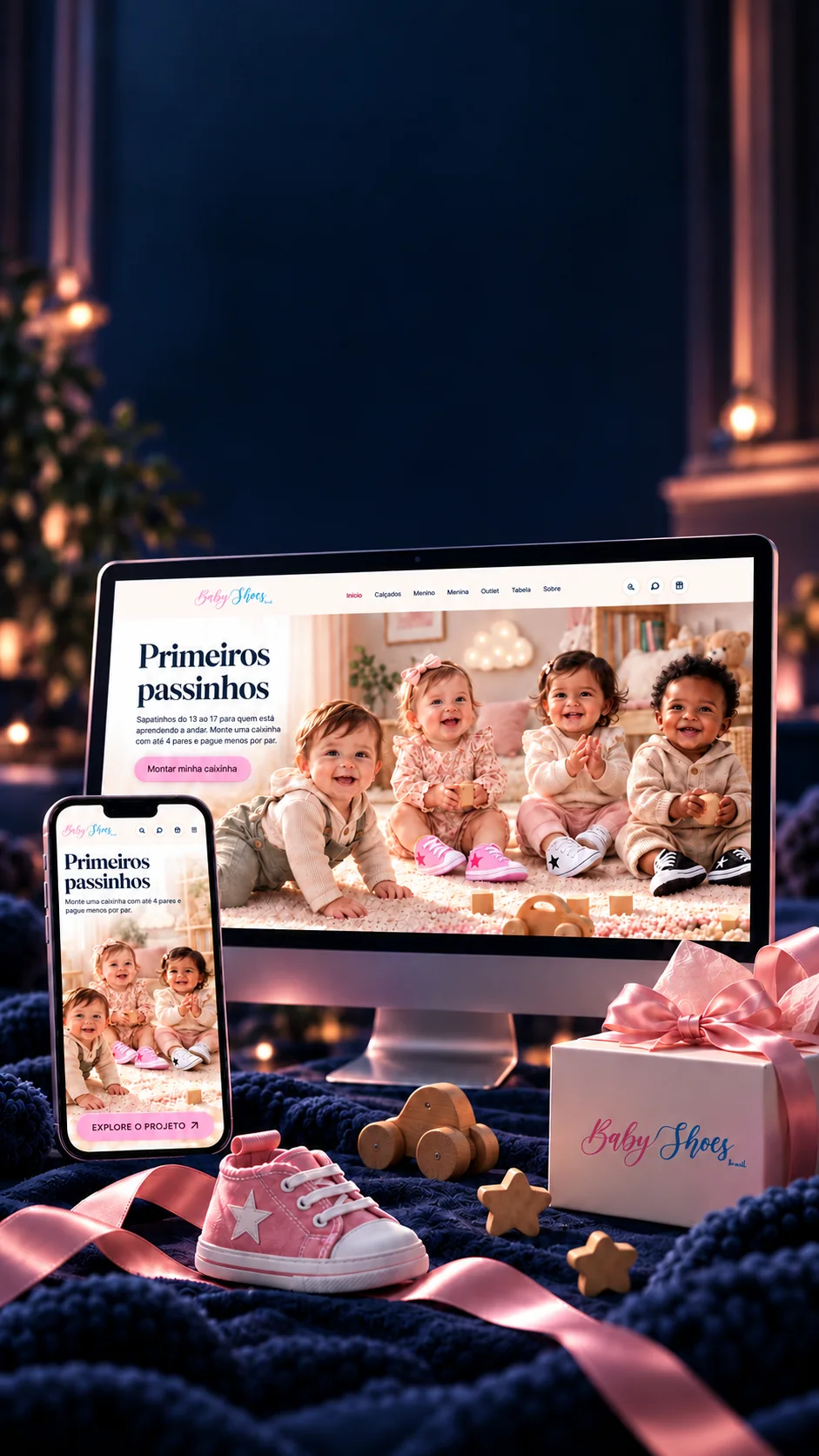

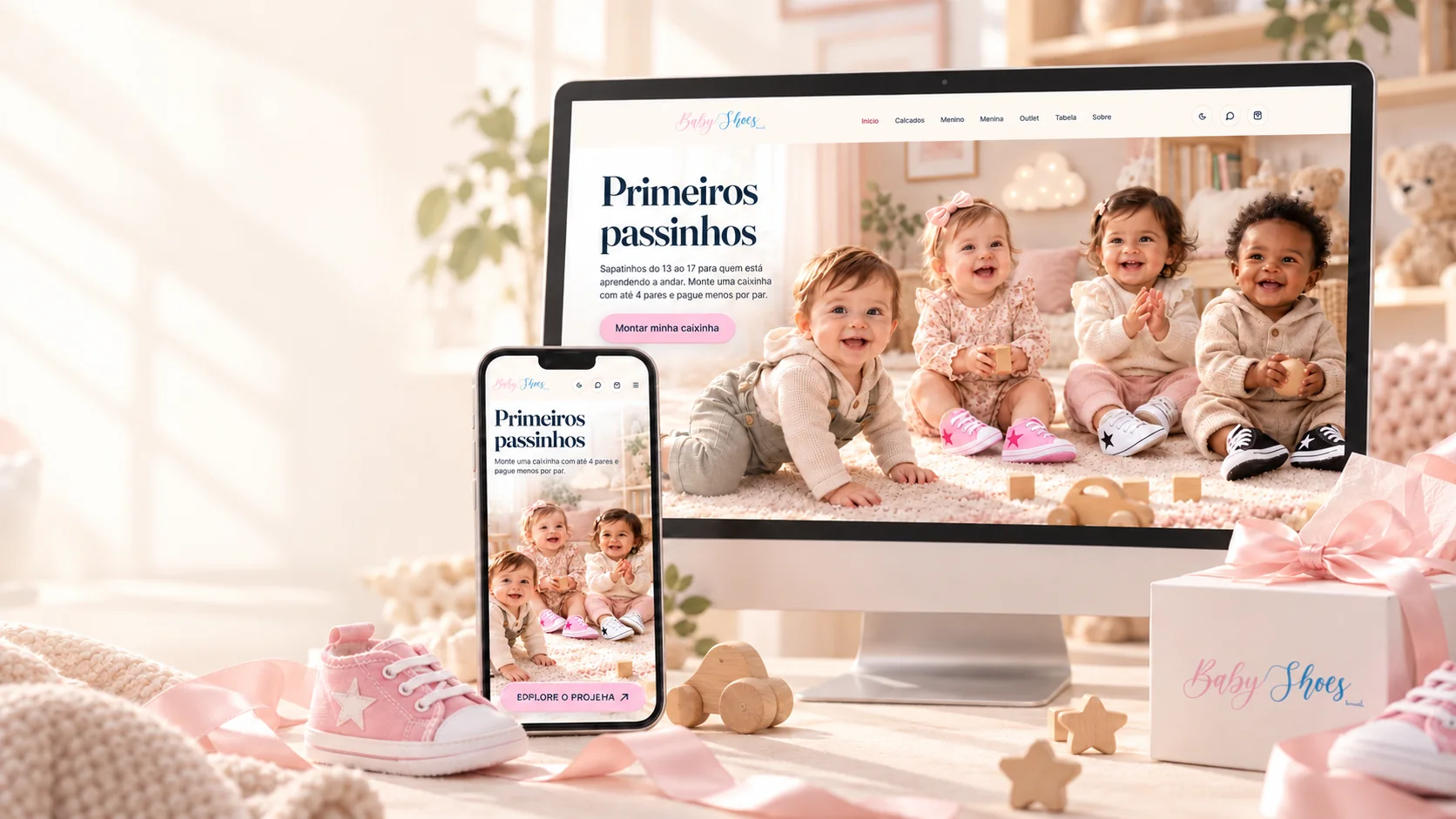
First steps,a purchasemade extraspecial.
Baby shoes, with a little box the family puts together their own way.
A complete baby shoe store, from storefront to payment, from shipping to admin.
- Next.js 16
- React 19
- TypeScript
- Prisma
- MySQL
- Mercado Pago

First steps,a purchasemade extraspecial.
Baby shoes, with a little box the family puts together their own way.
- Next.js 16
- React 19
- TypeScript
- Prisma
- MySQL
- Mercado Pago
A complete baby shoe store, from storefront to payment, from shipping to admin.
- Next.js 16
- React 19
- TypeScript
- Prisma
- MySQL
- Mercado Pago


The box
The more pairs, the less each one costs.
The heart of the store isn't the single pair, it's the box. The family picks up to four pairs, any color, model and size, and the price of each one drops with every slot filled. The same math runs on the storefront, in the cart, at checkout and in the order e-mail.
- 1 pairR$ 39,90R$ 39,90
- 2 pairsR$ 34,95R$ 69,90
- 3 pairsR$ 31,63R$ 94,90
- 4 pairsR$ 29,98R$ 119,90
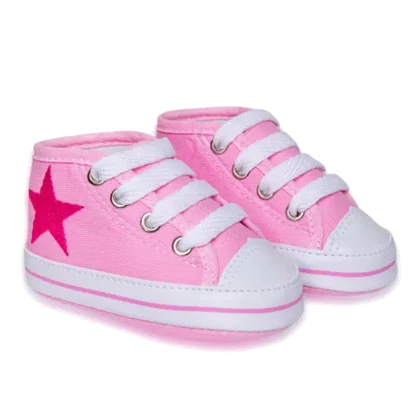
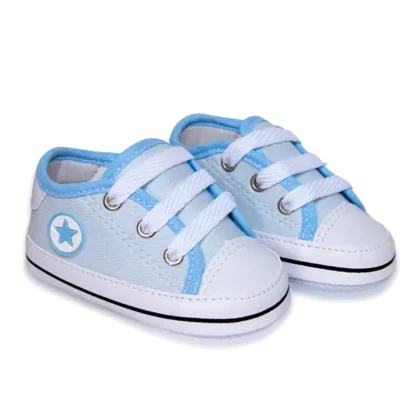
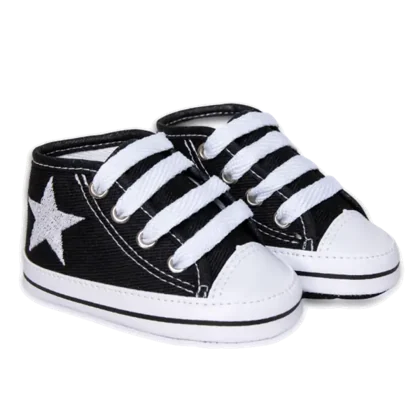

R$ 39,90 per pair
Total —You save —
Box closed
Mix freely
Boy, girl, high-top, velcro: every pair in the box can be a different model and a different size.
A fair split
With more than four pairs, the cart splits into boxes at the lowest price, a rule checked against the exact calculation from 1 to 24 pairs.
Special models
If a pair costs more than the standard one, the box only charges the difference, and the bundle discount still applies.
Scale
A sweet storefront, a whole system behind it.
Behind the little shoes is a complete store: catalog, stock, payments, shipping, e-mails and a management panel, all in three languages, with tests that run across ten screen sizes.
Lines of code
TypeScript and CSS, libraries not included
Screens
20 in the store and 22 in the admin
API routes
Payment, shipping, coupons, customers and admin
Database tables
MySQL with Prisma: orders, stock per size, coupons, history
Shoes in 3D
Each model with its own 3D file, on the box stage
Test runs
31 browser tests across 10 screen sizes
- Next.js 16.3
- React 19.2
- TypeScript 5.9
- Tailwind CSS 4.3
- Prisma 6.19
- MySQL
- next-intl 4.14
- three.js 0.180
- React Three Fiber 9
- GSAP 3.15
- Motion 13
- Zustand 5
- Mercado Pago SDK 3.6
- Zod 3
- Nodemailer
- Playwright 1.56
Which size?
Measure the little foot right on the screen.
The biggest fear when buying baby shoes online is getting the size wrong. The store answers with a ruler: measure from heel to the tip of the big toe, drag the ruler and it suggests the right size from the store's own chart. This one runs the same math, drag it, or just scroll the page.
One chart, three places
The size buttons, the ruler and the true-size view all read the same store chart.
True size, calibrated
So the drawing is life-size, the screen is calibrated with a standard card (ISO ID-1).
Buzzes every half centimeter
On Android, the ruler gives a short vibration every 0.5 cm, so you can measure without looking.
- 139.0 cm
- 1410.0 cm
- 1510.5 cm
- 1611.0 cm
- 1711.5 cm
Size 14 · between two sizes, the suggestion is the larger one, so it won't pinch.
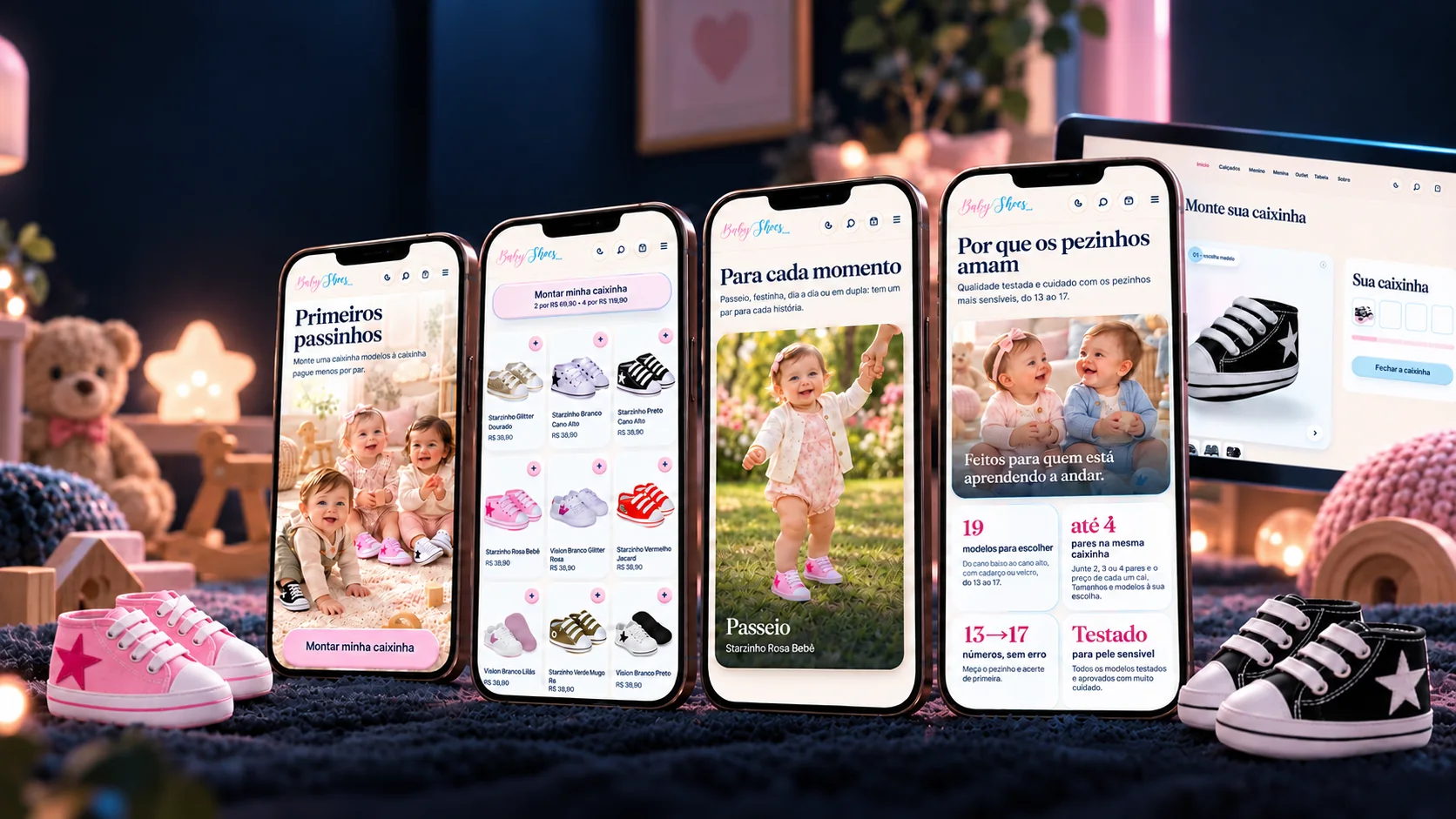
The journey on the phone
Every choice, a new little step.
From discovering the models to the personalized box, an experience designed for touch.
Discover
The storefront splits boy and girl without hiding anything: the filter lights up each one's models and dims the rest.
Choose
Every model shows up in 3D inside the box, with the real photos alongside, and the size comes from the ruler.
Imagine
A stroll, a party, every day or as a pair: the occasions show the shoe on the feet that will wear it.
Build your box
Up to four pairs in the same box, and the cart is still there even if the page closes.
Day and night
The same store, by day and by night.
Every screen was designed twice: in light, for the morning, and in navy, for whoever shops with the baby already asleep. Scroll the page and the day breaks.
No flash
The theme is applied before the page paints: whoever chose dark never sees a white flash on opening.
It stays
The choice is saved on the device and comes back on the next visit, an automated test checks it.
Tested in both
The layout tests run across the ten screen sizes in both themes.
A real purchase
From click to payment, nothing is for show.
The storefront is the part you see. Underneath, every order travels the path of a real store, and that path was audited with the store running, purchase by purchase.
- 27/27Sales and stock tests passing in the audit
- 5 → 1Five purchases of the last pair at once: only one goes through
- 0Broken links across 93 pages and 20 admin screens
- 1×Cancelling twice returns the pairs only once
- 01Instantly
Stock reserved
The pairs leave the stock at once, size by size; two orders never take the same pair.
- 02PAC · SEDEX
Shipping quoted
Melhor Envio or SuperFrete, with quotes cached in the database and the store's own table if the API is down.
- 03Rules
Coupon checked
Percentage or fixed value, cap, minimum order, usage limit and use per e-mail.
- 04Pix · card
Payment
Pix with QR and copy-paste code, or card in up to 12 installments, through Mercado Pago's orders API.
- 05Webhook
Safe confirmation
Mercado Pago's notice has its signature verified, and the payment is checked again at the source.
- 068 × 3
E-mail in the right language
Order received, paid, shipped, exchange: eight templates, in Portuguese, English and Spanish.
- 07Tracking
Pick, ship, deliver
With a tracking code; an order not paid in time cancels itself and returns the pairs.
- 08Refund
Exchanges and returns
Refund through Mercado Pago, the pair back in stock and the new size reserved on an exchange.
All in the history logRecorded
The helper
Still have a question? Passinho answers.
The store's mascot lives in the corner of the screen. He knows the way through the most common questions, size, box, models, and, when a person is needed, hands the chat over to WhatsApp with the message already written.
Answers written by the store
A tree of answers made by the store itself: Passinho never makes up a deadline or a price.
Six poses
Waves, points, holds the little shoe, cheers, waits, naps: a whole character, not an icon.
Ready-made messages
In the admin, the store edits the WhatsApp texts for paid, shipped, pickup and reminder.





The admin
The whole store in the palm of your hand.
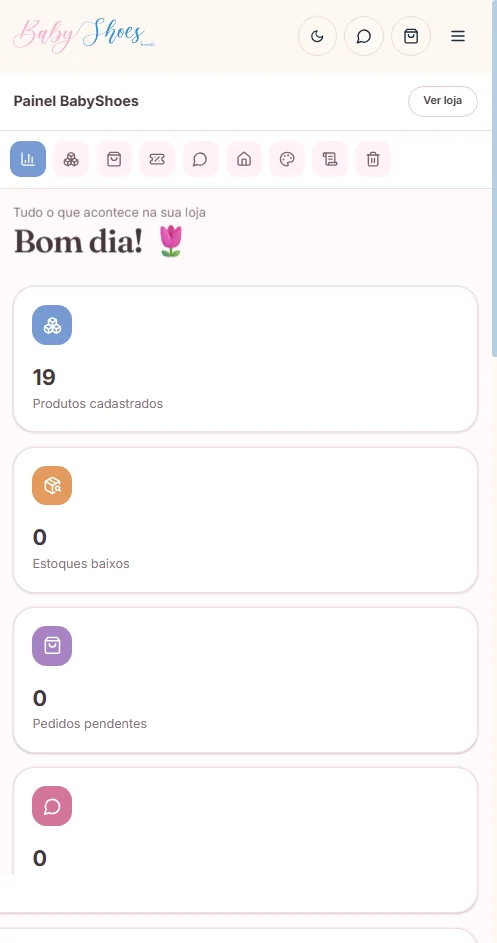
Whoever sells doesn't need a developer day to day: there are 21 management screens, all wired to the database, from the order to the price, from the e-mail to the site's colors. And the admin speaks three languages too.
Sales 6 screens
- Dashboard
- Orders
- Customers
- Coupons
- Reports
- Trash
Access that protects itself
8-hour sessions, attempt limits per address and an allow-list of addresses.
Encrypted keys
Payment and shipping credentials are stored encrypted in the database (AES-256-GCM), never in plain text.
Translation right there
Products, home page and menu get English and Spanish from the admin itself.
Reports that compare
Sales in Brasília time, side by side with the previous period.
The technologies
What it is made of, piece by piece
A real store: the storefront with the shoes in 3D, the cart, the payment and the owner's panel. Pick a piece to see what it does here and which file it is in.
16technologies, in 4 layers
Screen
Server
Data
Payment and tests
The screens
The store, screen by screen.
Desktop and phone designed separately, each at its own pace: 23 screens in four groups, from the storefront to the closed box.
Opening: first little steps
Moms' favorites
The 19 models on the storefront
Boy filter: the rest dim, none disappear
For every moment
Why little feet love them
Live
All 19 models, each at its own address.
The store is published. Every little shoe has its own page, with its photos, sizes and stock for each size, pick one and it opens in the real store.
- Starzinho Glitter DouradoR$ 39.90
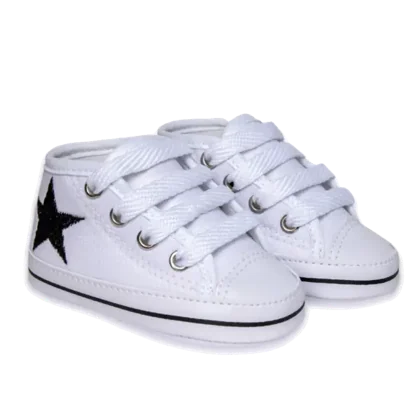 Starzinho Branco Cano AltoR$ 39.90
- Starzinho Preto Cano AltoR$ 39.90
- Starzinho Rosa BebêR$ 39.90
 Starzinho Vermelho JacaréR$ 39.90
 Vision Branco Glitter RosaR$ 39.90
 Vision Branco LilásR$ 39.90
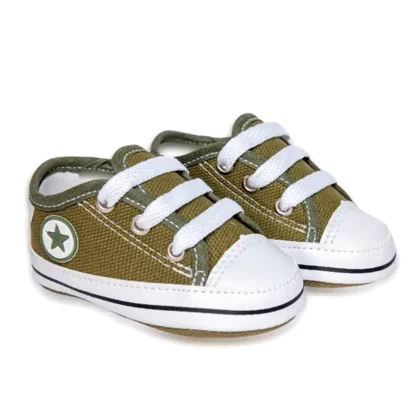 Starzinho Verde MusgoR$ 39.90
 Vision Branco PretoR$ 39.90
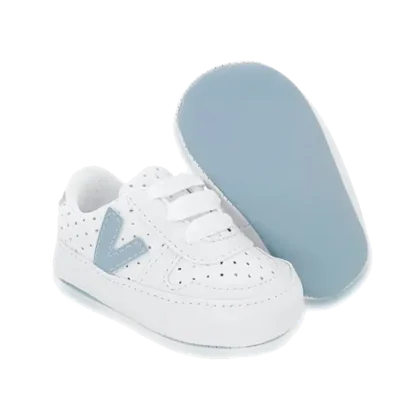 Vision Branco Azul BebêR$ 39.90
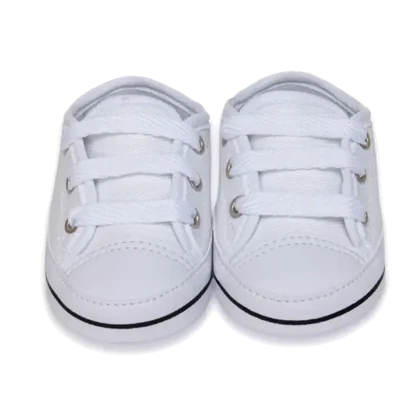 Starzinho BrancoR$ 39.90
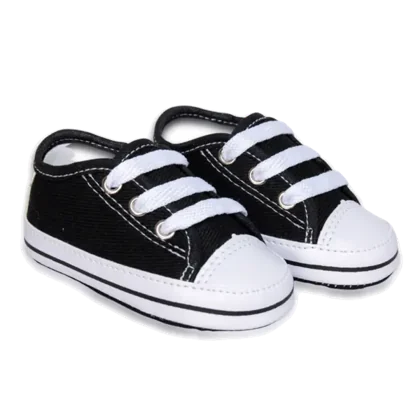 Starzinho PretoR$ 39.90
- Starzinho Azul BebêR$ 39.90
 Starzinho Velcro BrancoR$ 39.90
 Starzinho Velcro PretoR$ 39.90
 Starzinho Rosa EspelhadoR$ 39.90
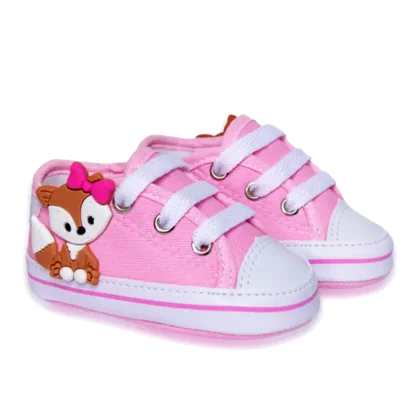 Starzinho Rosa RaposinhaR$ 39.90
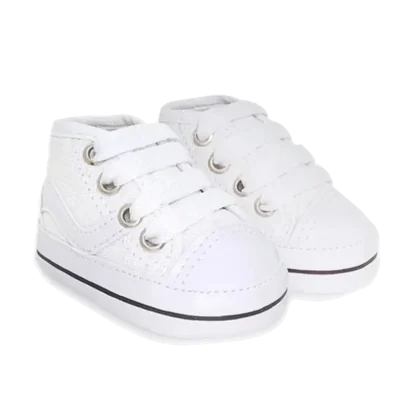 Starzinho Berlim BrancoR$ 39.90
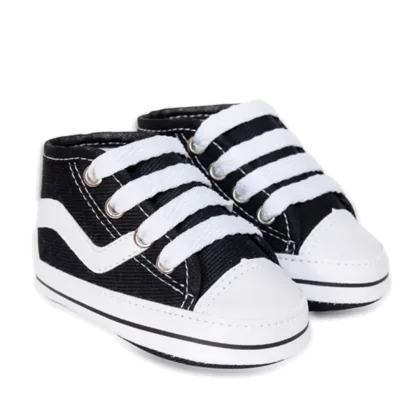 Starzinho Berlim PretoR$ 39.90

 Stores and e-commerceMeu Natal Digital