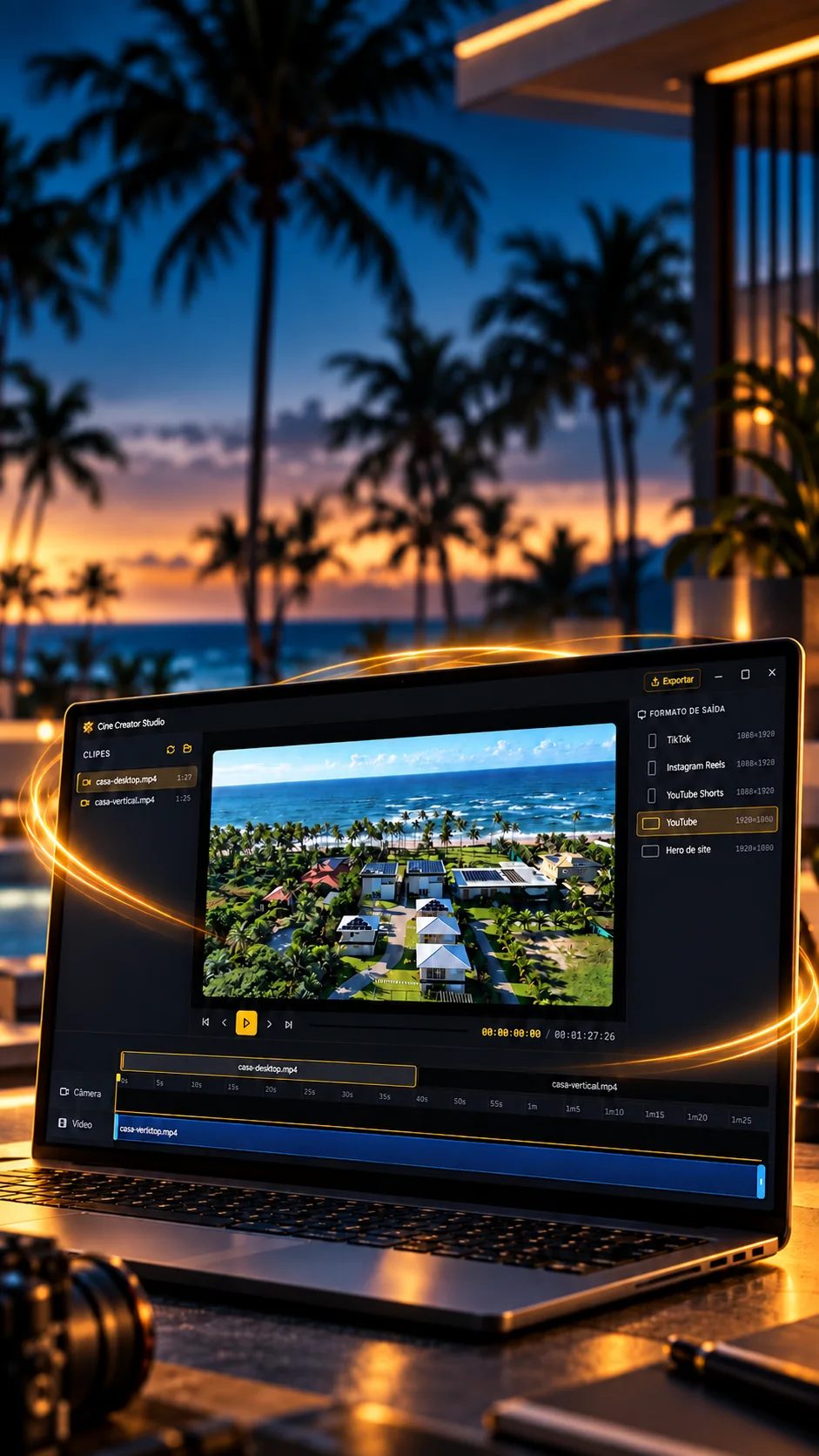

One video.Many cuts.Every screen.
Edit segments on the timeline and prepare versions for social media and websites.
A Windows video editor that only re-encodes what changed.
- Tauri 2
- Rust
- React 19
- TypeScript
- FFmpeg 8.1
- SQLite
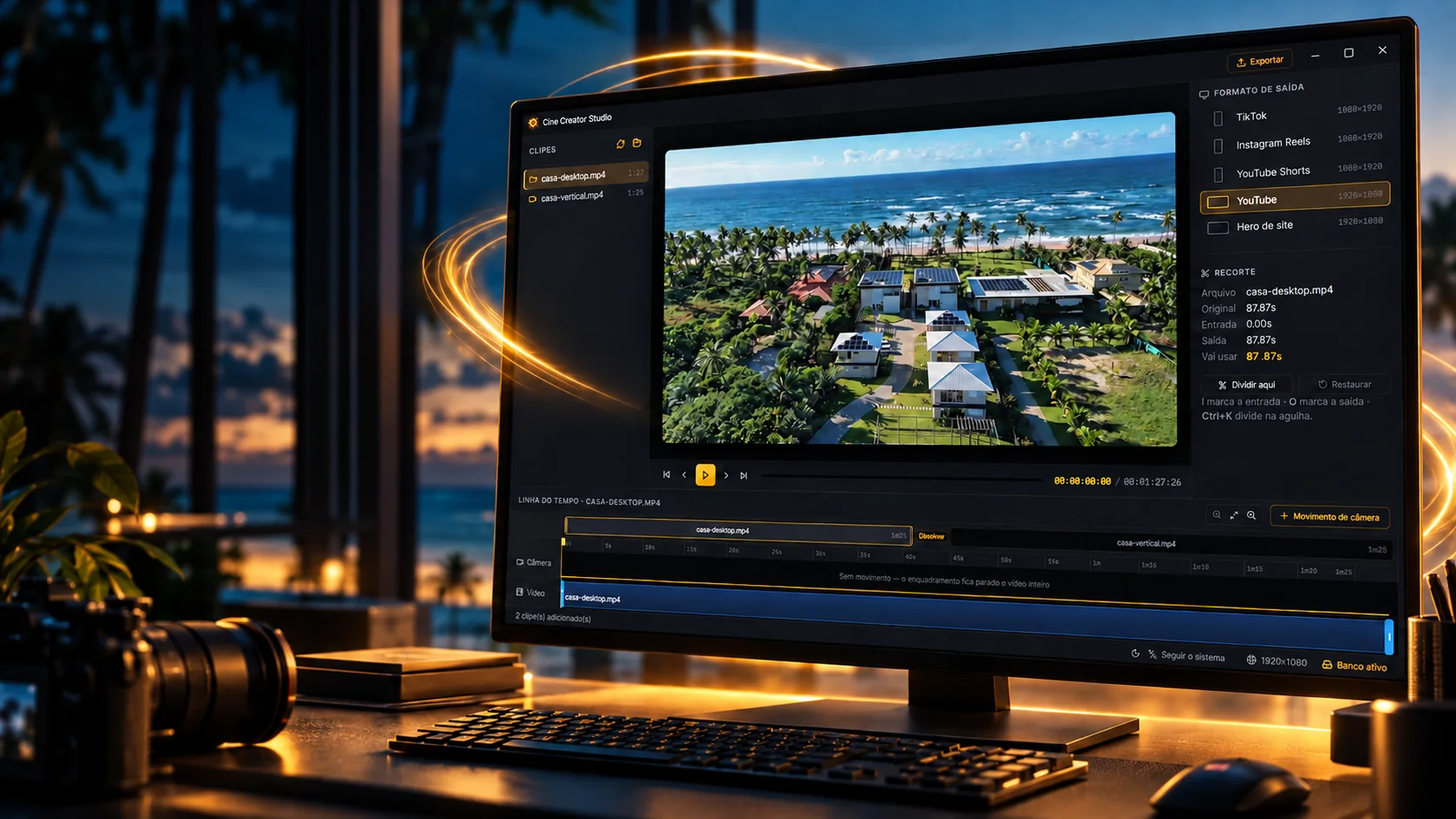
One video.Many cuts.Every screen.
Edit segments on the timeline and prepare versions for social media and websites.
- Tauri 2
- Rust
- React 19
- TypeScript
- FFmpeg 8.1
- SQLite
A Windows video editor that only re-encodes what changed.
- Tauri 2
- Rust
- React 19
- TypeScript
- FFmpeg 8.1
- SQLite
Scale
A lean editor, a real engine.
10.5k lines of application, a React and TypeScript interface over a Rust core, plus another 3.4k of tests alone. The desktop app is built with Tauri 2 and ships FFmpeg 8.1 inside, without depending on whatever is installed on the machine.
Output formats
TikTok, Reels and Shorts at 1080×1920; YouTube and website hero at 1920×1080
Encoders tested
Three GPU and three CPU encoders, each put to the test
Camera moves
Presets named by intent, each with its own curve and rhythm
Transitions
From dissolve to circle-open, built with FFmpeg's xfade
Strings per language
Portuguese, English and Spanish, with identical keys checked by a test
Automated checks
10 Rust tests and 227 checks, from a 40-minute export to a subpixel-checked preview
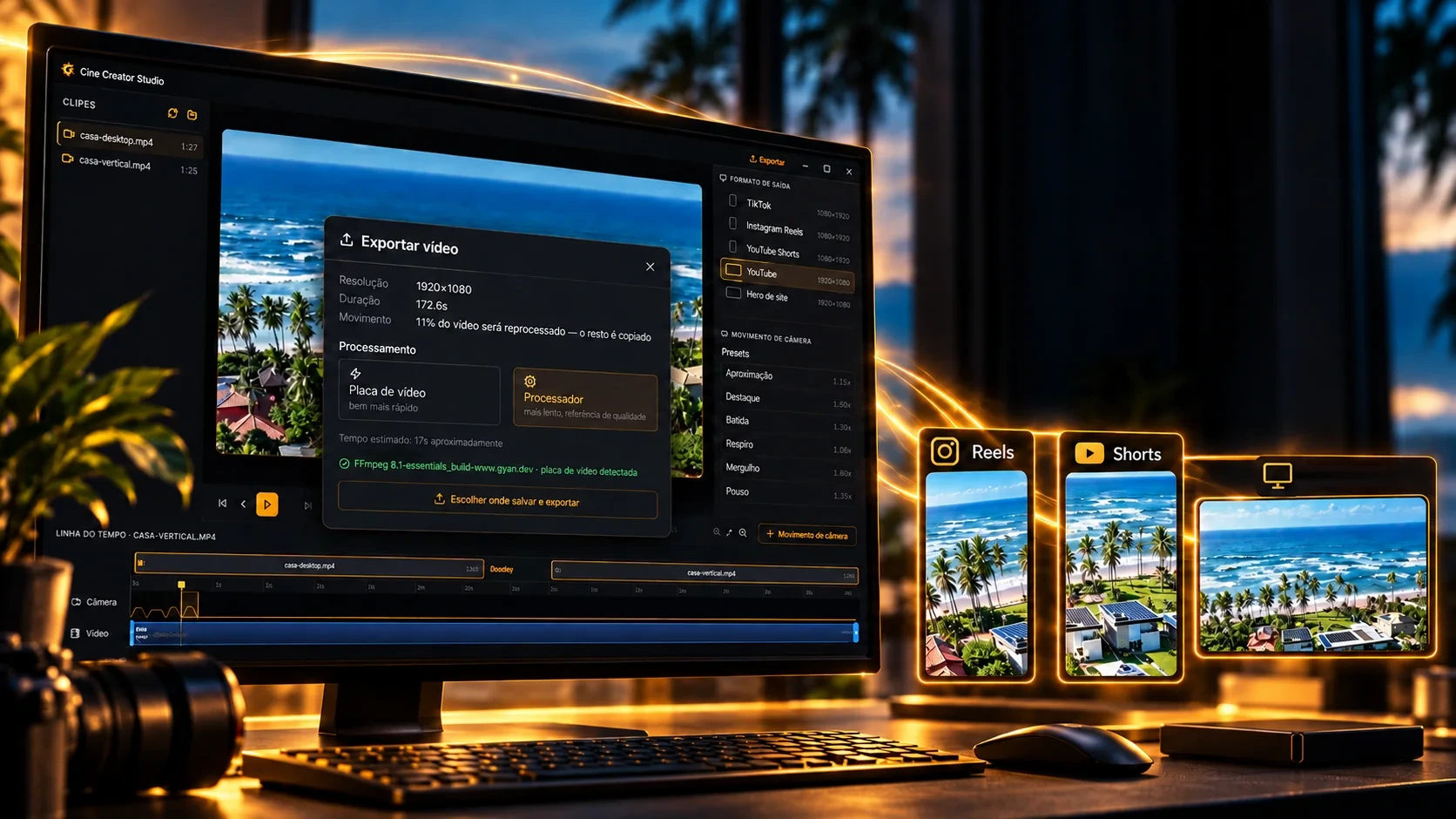
From the cut to the right format.
Prepare videos for social media and website openings in the same flow.
Website heroFive output formats, each with its own resolution and aspect ratio, all at 30 frames per second: three upright, for social media, and two landscape, for YouTube and website openings.
 1080×1920
TikTok
Short video, upright
 1080×1920
Instagram Reels
Short video, upright
- 1080×1920
YouTube Shorts
Short video, upright
 1920×1080
YouTube
Landscape video
- 1920×1080
Website hero
A website's opening
Smart render
It only re-encodes what changed.
Re-encoding the whole video because of a two-second zoom is waste. The app splits the clip into segments: whatever has a camera move or a cut edge goes through the encoder; the rest is copied as is, with no quality loss and much faster.
- 00:01
Plans the segments
Every camera move becomes a segment to redo, with 250 ms of slack; neighboring windows merge into one.
planejarTrechos() - 00:02
Finds the keyframes
Copying only works from a keyframe: ffprobe tells where they are and the redone segment runs to the next one.
ajustar_por_quadros_chave - 00:03
Redoes the edges
At each end of the trim, 1.2 s is re-encoded so the seam doesn't stutter or flash.
- 00:04
Copies the rest
Unchanged segments go straight into the final file, with no new compression.
-c copy - 00:05
Joins by measured duration
The pieces are chained by each one's real duration, which avoids a 96 ms drift noted in the code.
concat -c copy - 00:06
Right color at the end
The output is tagged BT.709 in three layers, with a constant frame rate and AAC audio at 192k.
setparams · -color_* · h264_metadata
The right GPU
It tests before it trusts.
FFmpeg's list advertises encoders that fail when the card isn't there. So the app runs a real 0.2 s encode with each one, in this order, and keeps the first that passes, each with its own quality profile.
Graphics card
- 1
NVENC
NVIDIA ·h264_nvenc-preset p4 -rc vbr -cq 20 -maxrate 40M97.36 - 2
Quick Sync
Intel ·h264_qsv-preset medium -global_quality 2296.77 - 3
AMF
AMD ·h264_amf-quality balanced -rc cqp -qp_i 22 -qp_p 24Not measured on this machine
Processor
- 4
x264
VideoLAN ·libx264-preset veryfast -crf 2096.11 - 5
Media Foundation
Windows ·h264_mf-rate_control quality -quality 6092.41 - 6
OpenH264
Cisco ·libopenh264-b:v 12MNot measured on this machine
VMAF score (0 to 100) measured by the project's own test, comparing each output with the original, the closer to 100, the more faithful. The bar starts at 85.
Camera moves
Zoom with intent.
Six ready-made gestures, named by what they do. Each one eases in, holds and returns with its own curve, including a real spring, written as an FFmpeg expression, and the preview runs the same math as the export: a test checks, to the subpixel, that what you see is what you get.
Approach
Website hero video, talking background
Highlight
Show a button, field or detail
Beat
Marketing cut, short rhythm
Breath
Background shot that must not distract
Dive
Opening, when it can be bold
Landing
End of a sequence
Shortcuts
Made for hands on the keyboard.
A real editor is used without taking your hands off the keyboard. The editor and the built-in player have the shortcuts video editors already know.
Editor
- Space
- Play and pause
- HomeorEnd
- Go to start or end
- ←or→
- One frame (with Shift, one second)
- IorO
- Mark in and out
- CtrlK
- Split at the playhead
- CtrlZ
- Undo
- CtrlYorCtrlShiftZ
- Redo
- Delete
- Remove the selection
Player
- ←or→
- 10 seconds (with Shift, 3)
- ↑or↓
- Volume
- WorE
- Frame by frame
- [or]or=
- Speed
- L
- Loop
- M
- Mute
- F
- Full screen
- Esc
- Exit
Nothing lost
The work stays saved.
A video editor deals with big files and long exports. The app protects itself exactly where an ordinary program loses your work.
Saves on its own
1.2 s after the last change, the project goes into a local SQLite database; the write is read back to check it, and the old format migrates by itself.
PRAGMA user_versionUp to 100 undo steps
Camera moves keep 100 levels of undo, and back-to-back tweaks to the same field become a single step.
Checks the disk first
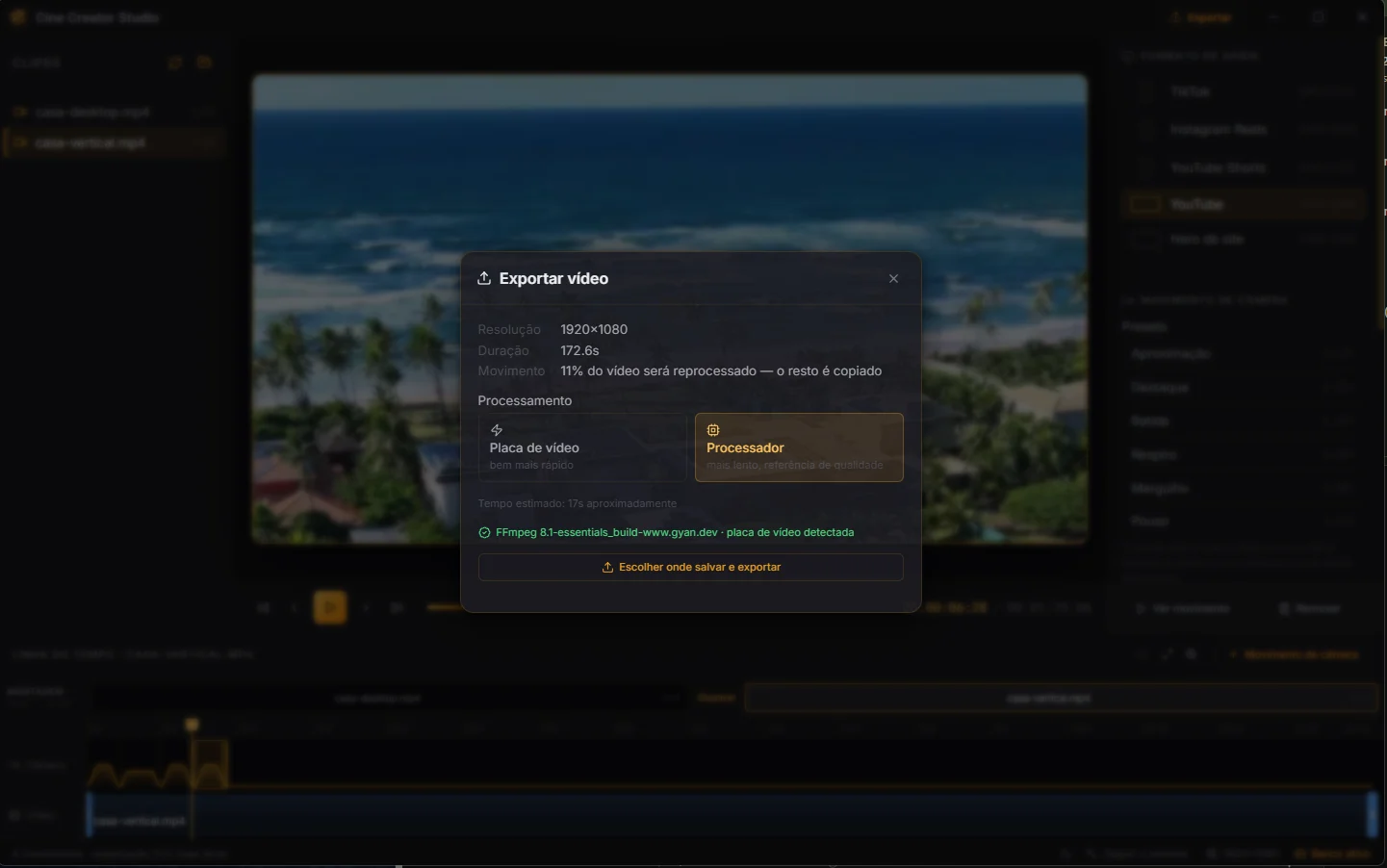
Before exporting, it measures free space: it asks for three times the size of the videos, never less than 500 MB.
GetDiskFreeSpaceExWCancels without leftovers
Cancelling stops FFmpeg at once and deletes the half-written file; while exporting it shows the percentage, speed and time left.
Opens the video directly
The installer associates mp4, mov, mkv and webm with the app, and a second click never opens another window over the first.
tauri-plugin-single-instanceOnly shows up ready
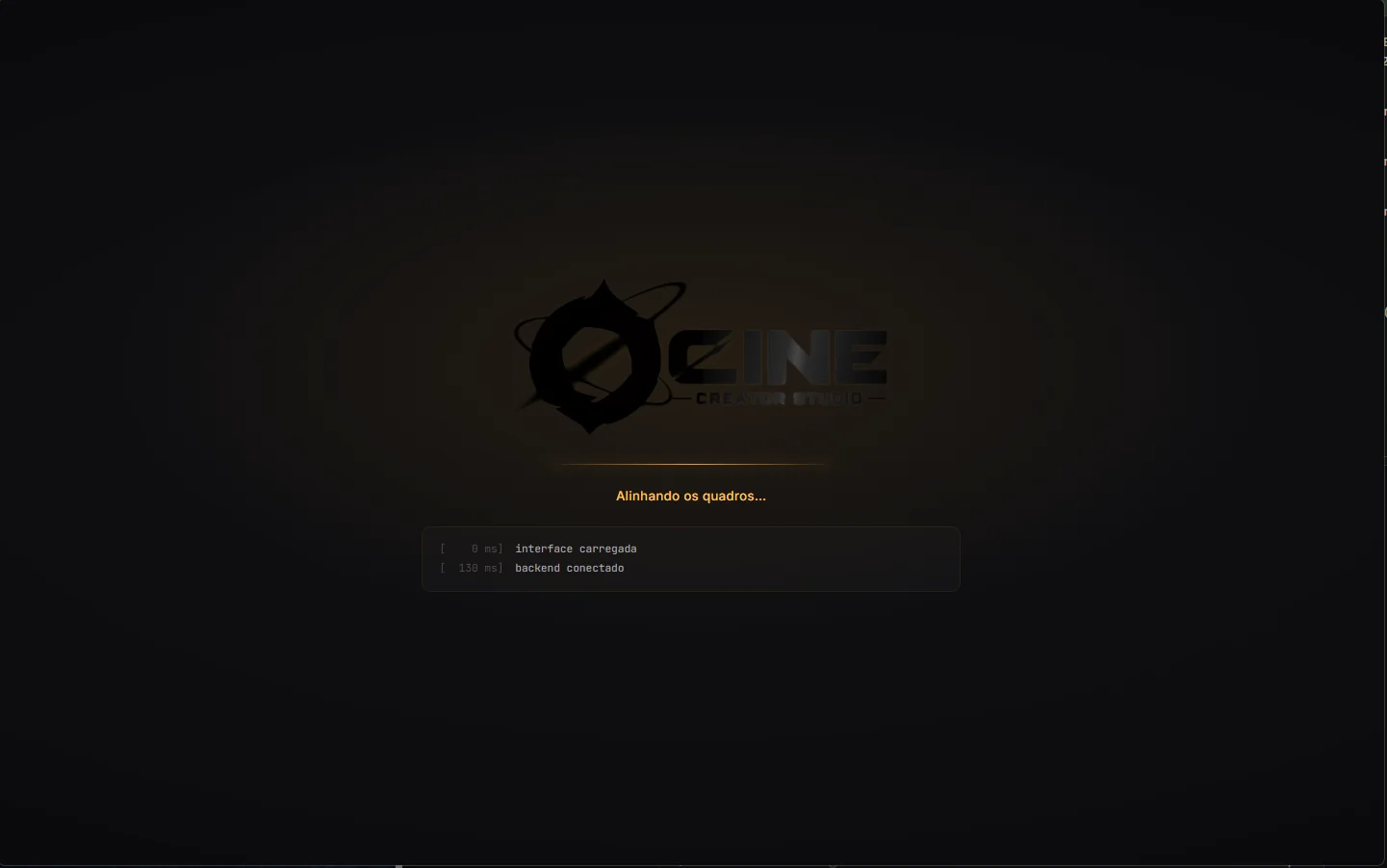
The window starts hidden and only appears when the Rust core says it's ready, no white screen on launch.
The technologies
What it is made of, piece by piece
A video editor you install as a program: the window is built like a website, and the engine that renders the video is Rust with FFmpeg. Pick a piece to see what it does here and which file it is in.
12technologies, in 3 layers
Screen
Engine
Data and tests
The screens
The app, frame by frame.
Six captures of the editor, from launch to export, in dark and light.
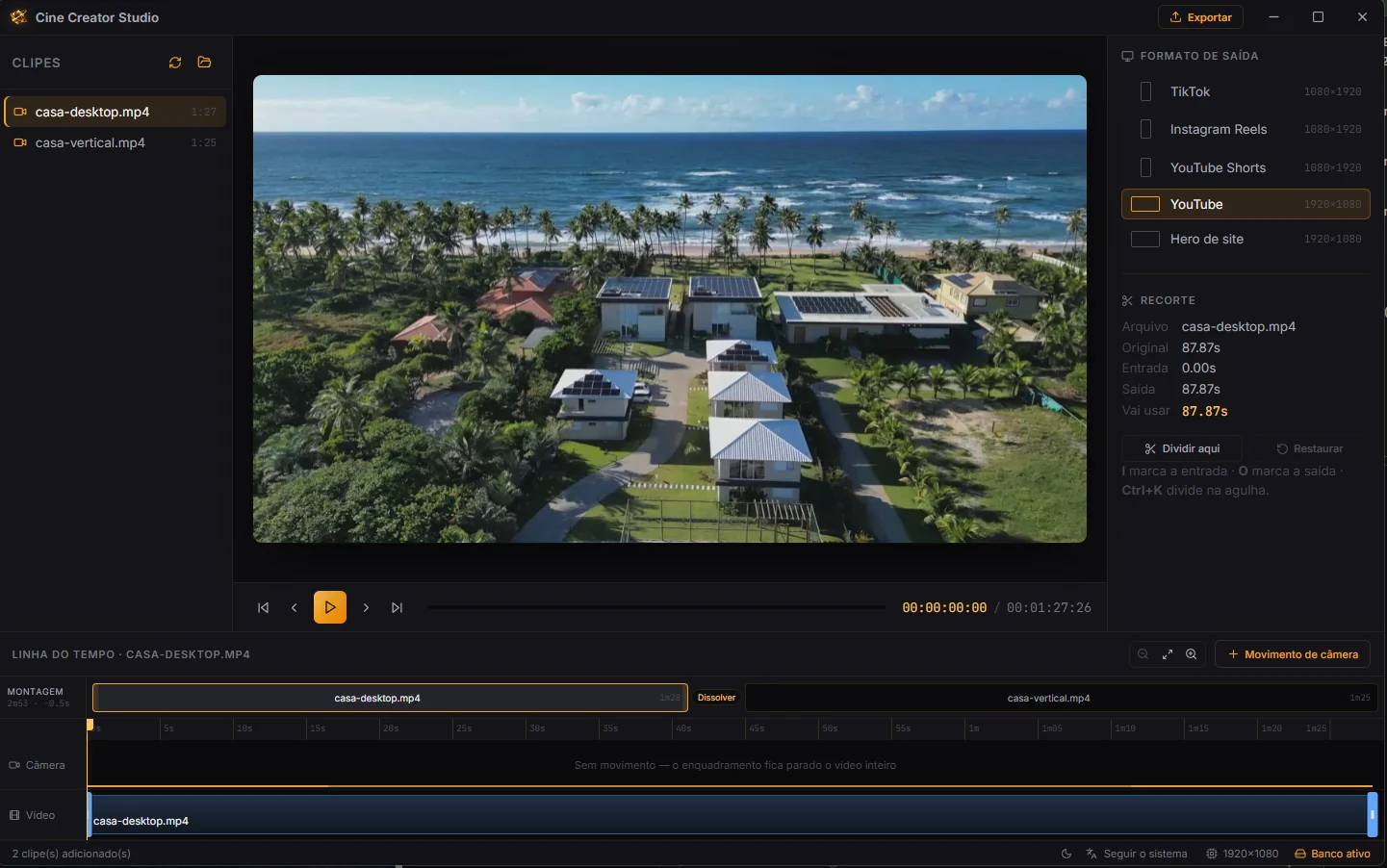
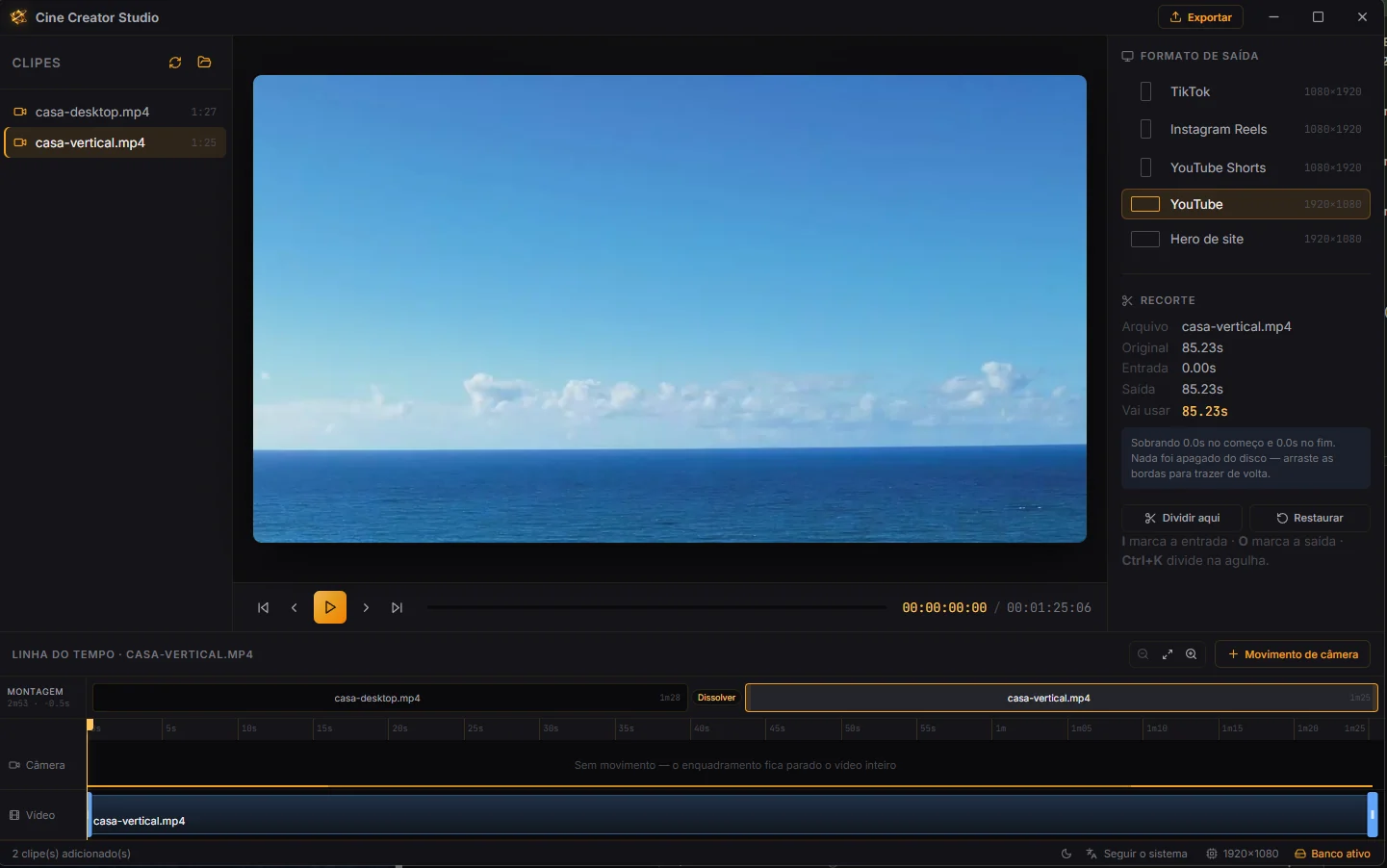
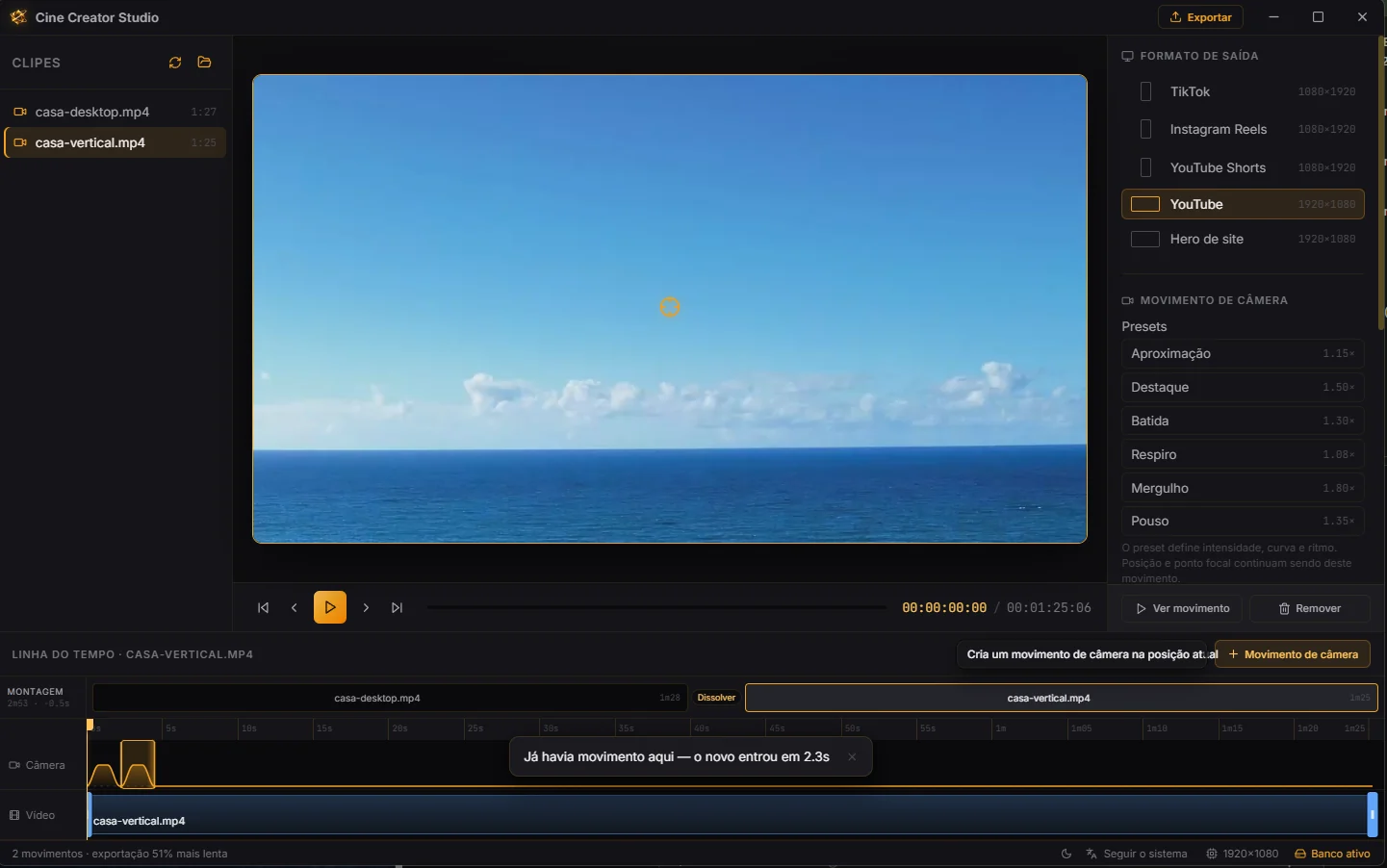
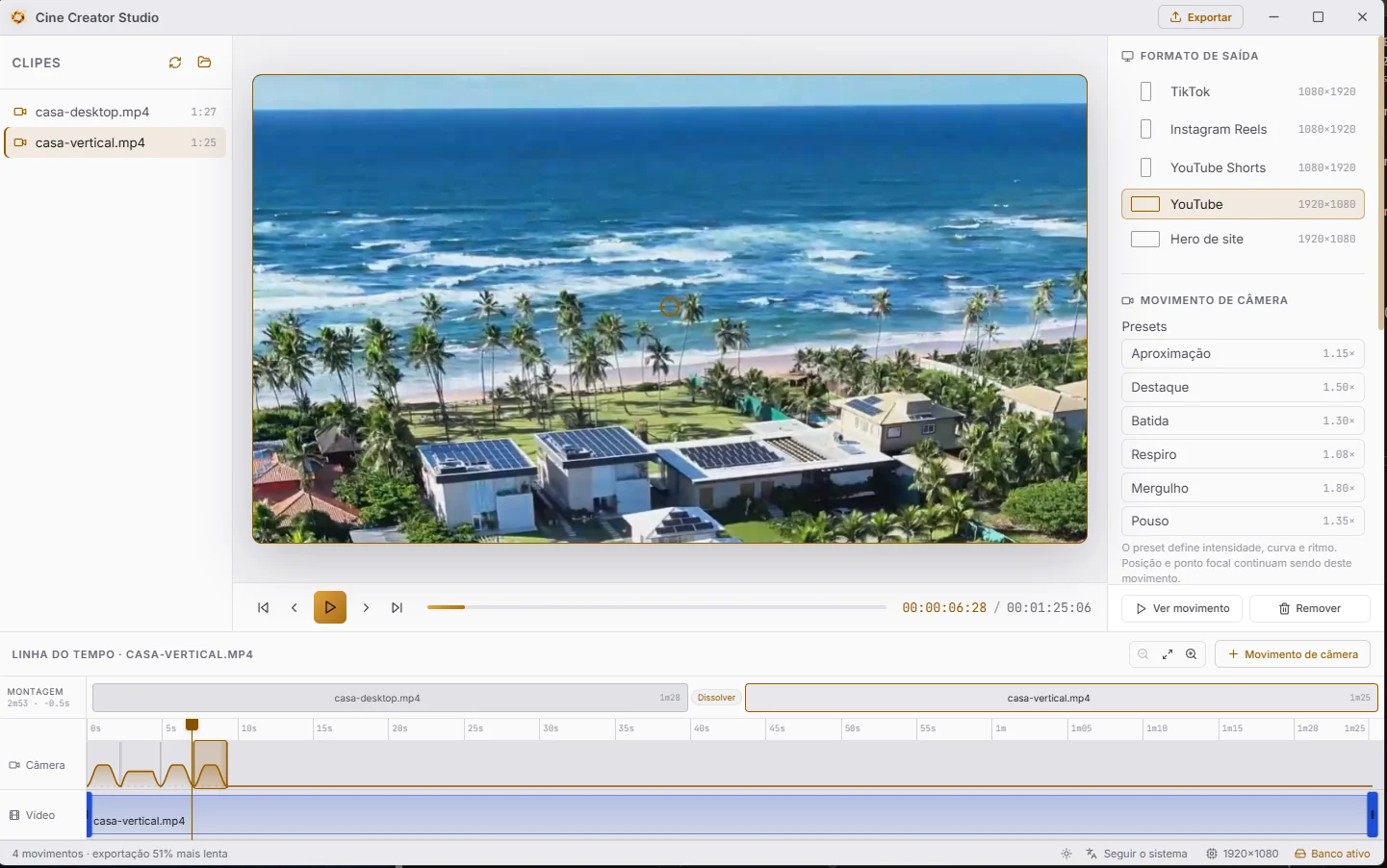
01 Launch: the app only appears once the core is ready
 Desktop applicationsConversaPack