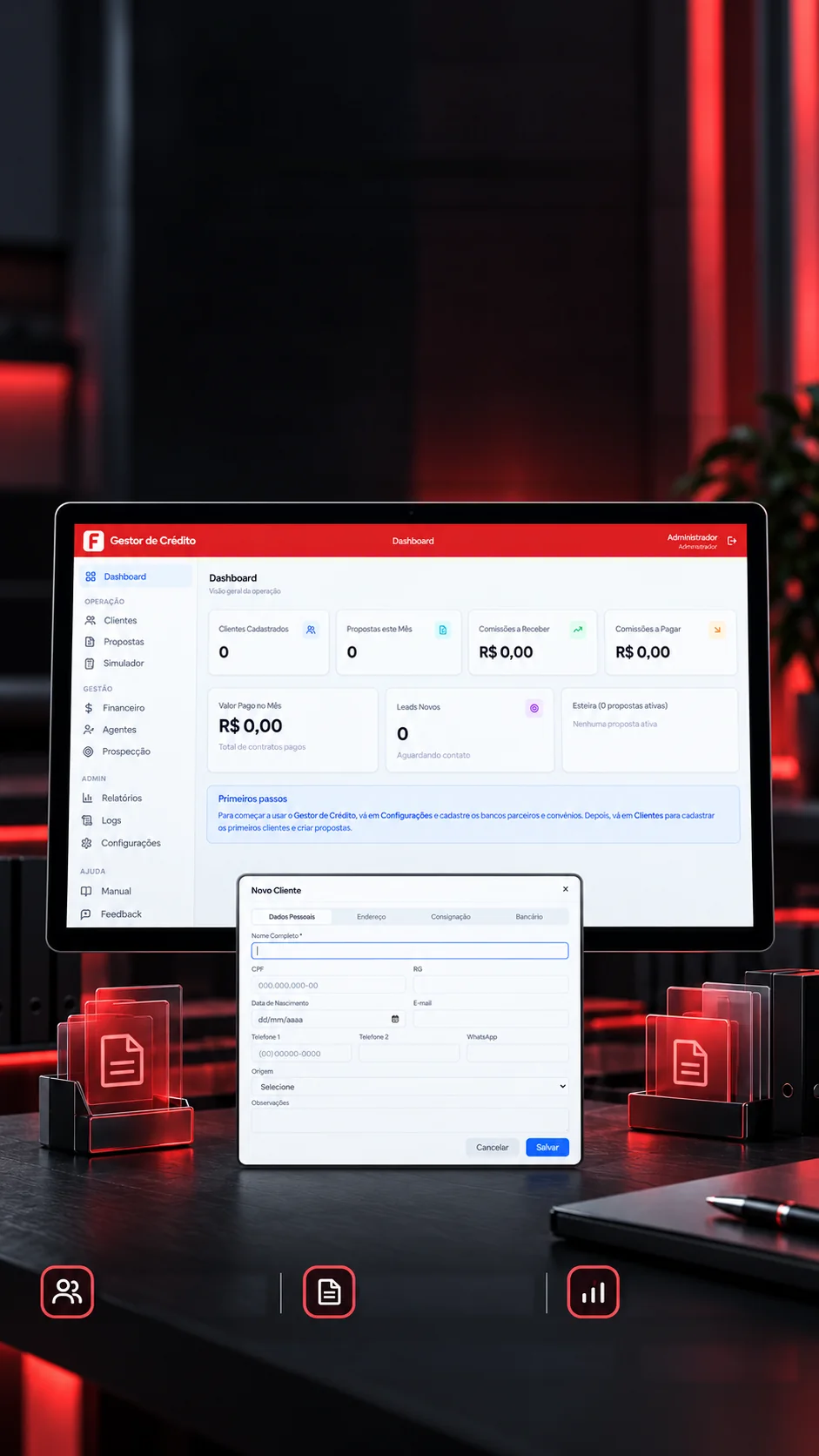
 Management system · Desktop appClient managementProposal pipelineFinancial controlDemo screen
Your creditoperation. In onecomplete view.
Clients, proposals, commissions and agents in one desktop system.
Payroll loans from client to commission, in one system.
- Tauri 2
- Rust
- React 19
- SQLite
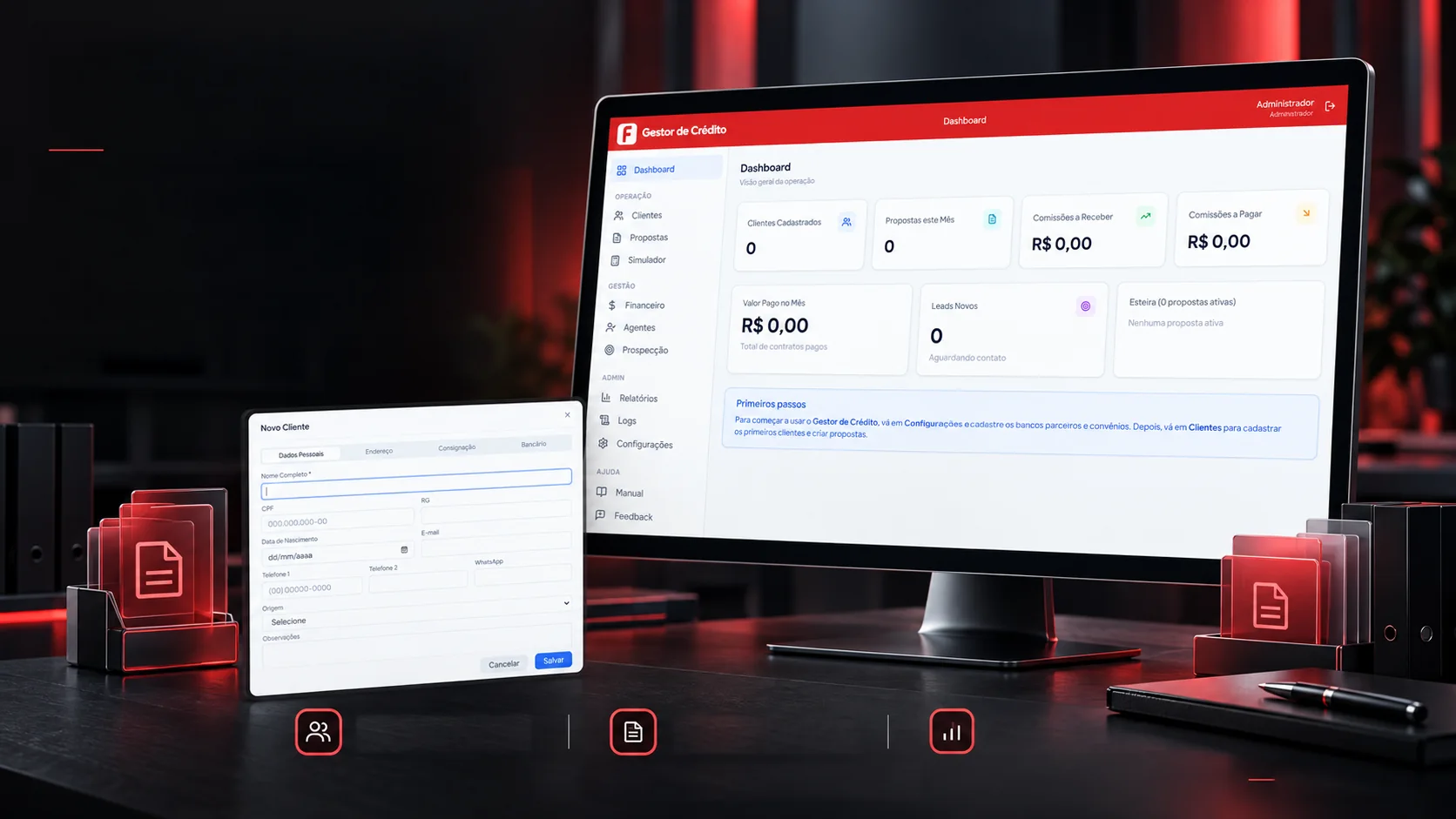 Management system · Desktop appClient managementProposal pipelineFinancial controlDemo screen
Your creditoperation. In onecomplete view.
Clients, proposals, commissions and agents in one desktop system.
- Tauri 2
- Rust
- React 19
- TypeScript
- SQLite
Payroll loans from client to commission, in one system.
- Tauri 2
- Rust
- React 19
- SQLite


The pipeline
Every proposal moves in stages.
At a credit broker, a proposal passes through many hands before the money lands, and it's easy to lose track of where each one stopped. Here it moves through seven stages, with the history of every step. At the end, the system works out the commission and books what comes in and what goes out. Move the sample proposal forward.
- Entered
- Pending
- Under review
- Approved
- Awaiting consent
- Registered
- Paid
It can also leave the pipeline as:RejectedCancelledExpired
History
- Proposal entered
Commission worked out
Entries created
- —Income from the bank · due in 30 days
- —Agent payment · due in 15 days
Sample proposal. The commission uses the table registered for the bank; with no table, the default of 5% for the company and 2% for the agent applies, as here.
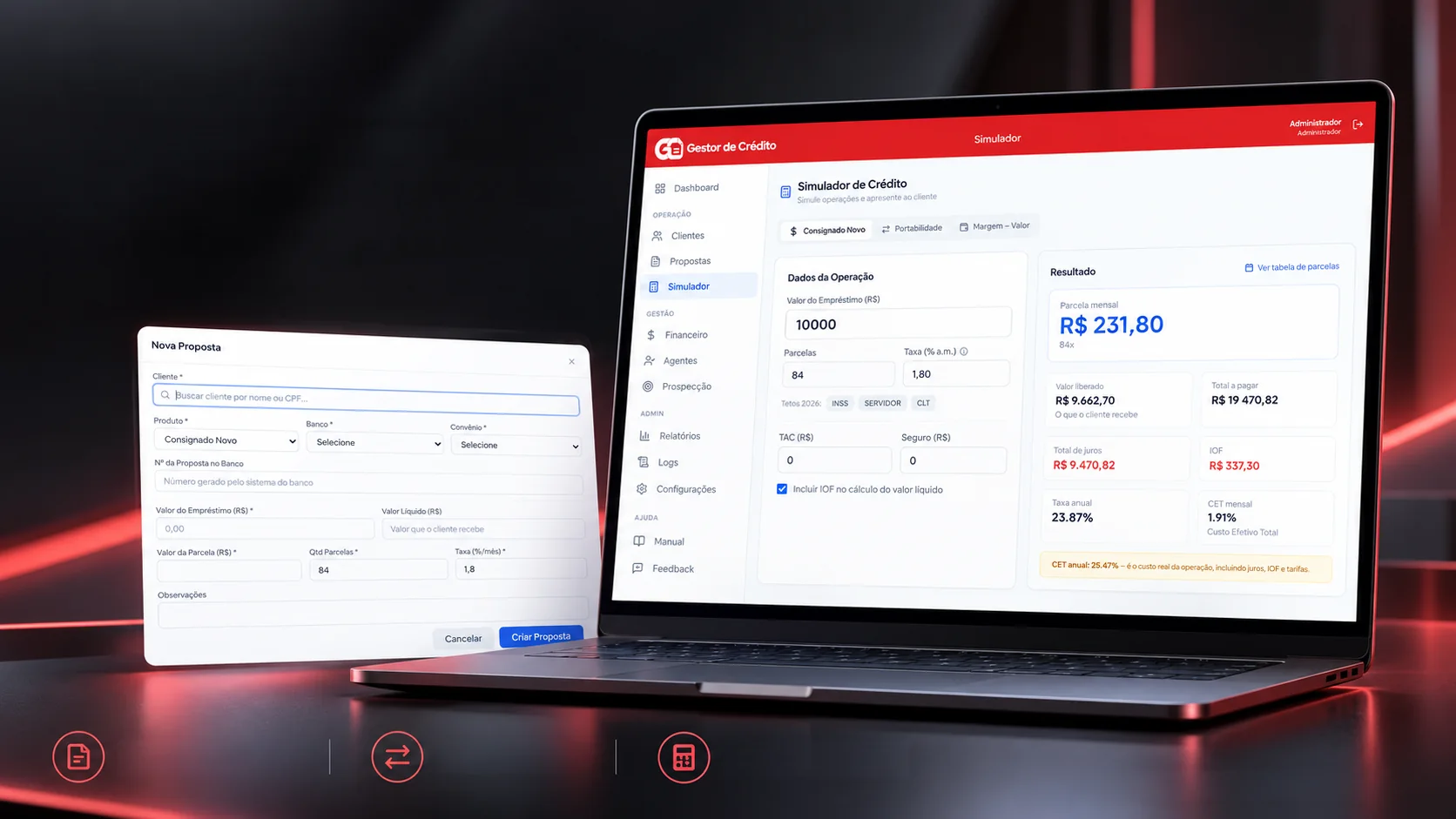
Simulation · Proposals · Service
From simulation to proposal. An organized flow.
New loans, refinancing and margin to support every client meeting.
New payroll loanRefinancingAvailable marginDemo simulation · Estimated valuesClients want to know right away how much they'll pay, how much they receive and what it really costs. The simulator does those sums the same way the system does: the instalment by the Price table, the estimated IOF tax and the total effective cost. Change the values and watch everything update.
Operation details
Annual CET: 25.47%, the real cost of the operation, with interest, IOF and fees.
The maths is the system's own. IOF is an estimate (the code itself treats it that way), and the 2026 caps only fill in the reference rate.
The roles
Everyone sees what is theirs.
In a small team, not everyone needs to see commissions and settings. The system has three roles, and each person's menu is built from their role's modules; the admin can still switch modules on or off user by user. Pick a badge.
Pick a badge:
The system's default roles. The role defines the menu each person sees when signing in.
The audit
Everything that was done stays on record.
When a value changes or a proposal disappears, the question is always the same: who did it, and when? The system writes every important action into a log book, with date, time, user and detail, which you can filter and download. Do a few actions and watch the lines come in.
- 09/19/2026 10:37:38AdminLoginUserSigned in
- 09/03/2026 21:24:41AdminLoginUserSigned in
Sample records, created right here on the page. The button downloads a CSV with the lines on screen, like the system's.
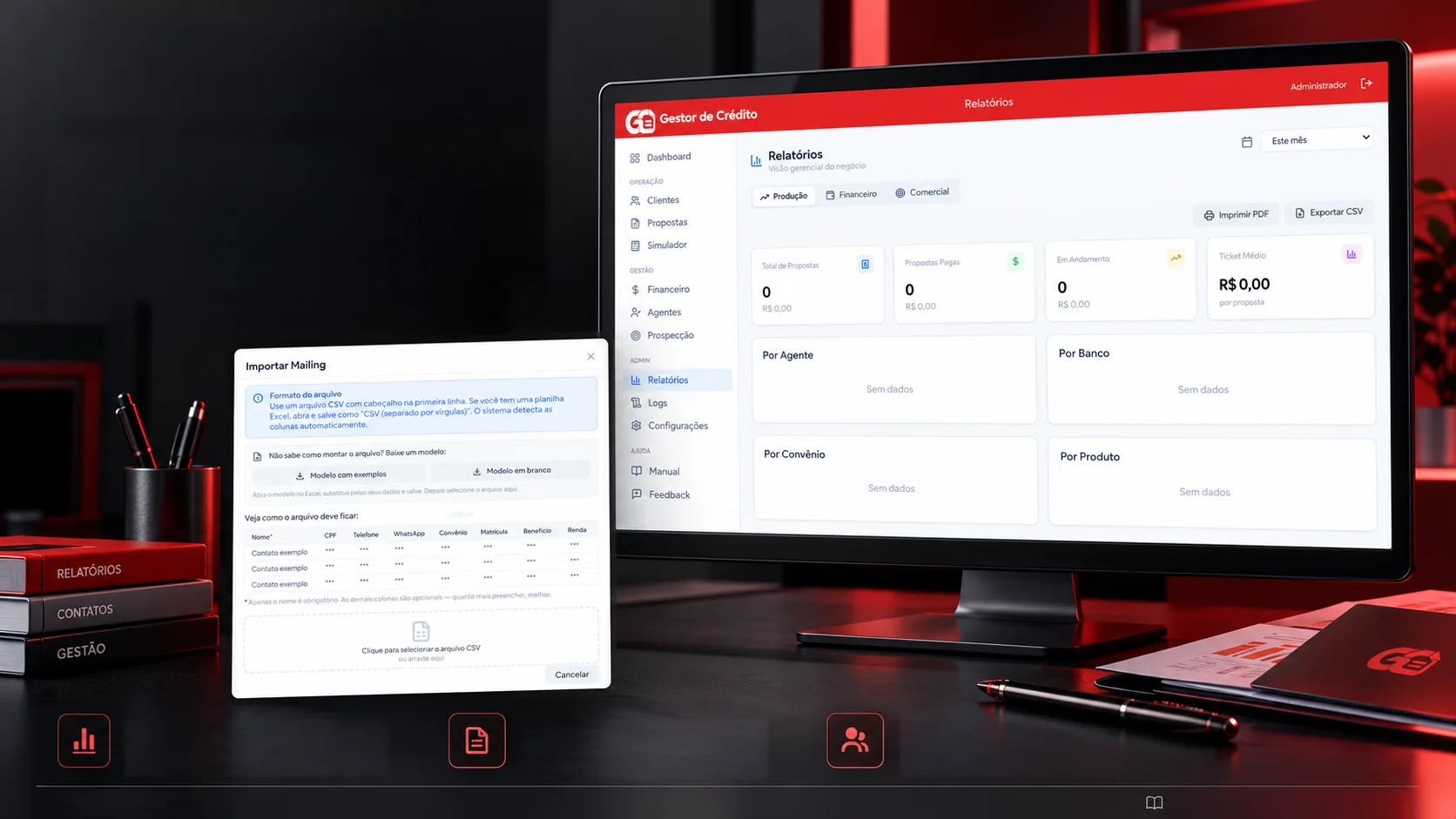
Sales · Finance · Management
From prospecting to management. All in one place.
Reports, contact lists and team organization to keep track of the operation.
Management reportsFollow the operation in one placewith a clear, organized view.CSV contact importAdd lists simply and quickly,
with a sample template.Access roles and agentsOrganize your team and set
access roles.Demo screensBuilt-in user manual and feedback channel
Contact lists arrive however they came: separated by semicolons or commas, with columns in any order. The system finds the separator, links each column by its name, keeps only the digits of CPF and phone numbers and skips what doesn't fit. Try both samples or edit the list.
Separator found: semicolon
Column → field
- nome→Name
- cpf→CPF
- telefone→Phone
- convenio→Agreement
- renda→Income
| Name | CPF | Phone | Agreement | Income |
|---|---|---|---|---|
| Cliente Exemplo A | 11111111111 | 00900000001 | INSS | 2500,00 |
| Cliente Exemplo B | 22222222222 | 00900000002 | INSS | 3200,00 |
| Cliente Exemplo D | 44444444444 | 00900000005 | Servidor | 5800,00 |
3 contacts came in1 without a name, ignored1 with a repeated CPF, skipped
Sample contacts with fictitious data. Only the name is required; the other columns come in if they exist.
The data
The data stays on the computer. And well kept.
A credit system holds the company's whole history, and losing it isn't an option. Everything lives in a database on the machine itself, with no server behind it, and three routines look after it. Pick one.
Every time the program closes, and whenever someone asks.
- 1
Checks the database is sound before copying.
- 2
Writes a compact, consistent copy, even with the program in use.
- 3
Keeps the two most recent automatic copies.
- 4
Records the backup in the audit log.
- Guided first run
The first time, a wizard creates the admin. There is no factory password.
- Protected passwords
Passwords are stored scrambled (bcrypt). If the admin forgets, there's a recovery code that works offline and changes after each use.
- Built-in support
Feedback is saved and sent through the channels the company sets up: email, Telegram, Discord or WhatsApp.
Steps checked against the system's code (backup, restore and updater).
The technologies
What it is made of, piece by piece
A desktop program whose visual part is built with web technology and whose engine is written in Rust; the data stays in a database on the machine itself. Pick a piece to see what it does here and which file it is in.
12technologies, in 3 layers
App
Screen
Data
The screens
The system from the inside.
The 14 real screens, filed by area. Tap or hover over a folder to pull it out and click the large screen to see it full size.
Real system screens. The configured name and the user were swapped for sample ones, and the template contacts appear as "Contato exemplo".

 Platforms and communitiesGalorys