Generates, slims down, animates, assembles and uploads your game, in one app.
A Roblox game factory: from the script to the published game.
Desktop appGamesOriginal
Tauri
React
Three.js
Rust
From scriptto Roblox.
Generates, slims down, animates, assembles and uploads your game, in one app.
Tauri
React
Three.js
Rust
A Roblox game factory: from the script to the published game.
Desktop appGamesOriginal
Tauri
React
Three.js
Rust
Portfolio◆Roblox Creator Studio
PortfolioRoblox Creator Studio
Why this app exists
Making a Roblox game has three rocks in the way.
Roblox became the place where millions of people play every day, and where good creators make money. But anyone who tries to make a game hits the same three pains. Roblox Creator Studio was built to clear each one: we managed to automate the whole process. Hover (or tap) to see the fix.
The Studio
16 tools in a single bar.
This is where every piece is created, slimmed down and prepared. Each button on the app's bar does one thing, and they all talk to each other: what comes out of one goes into the next without you opening a single folder.
01Generate 3D
Turns a reference image into a painted 3D model, ready to go into the game.
When to useWhen you have the drawing and need the model.
02Creation Center
The guide to what's worth making: 25 item types, with limits, difficulty and what sells most.
When to useBefore starting a new item.
03Generate Image
Creates the reference image of the character, object or scene, in the right views.
When to useWhen the idea has no drawing yet.
04Cloud Studio
Runs the heaviest generations off the computer and brings the result back to the card.
When to useWhen the graphics card can't keep up.
05Create 3D
Creates the 3D model from a text request, with the piece type and the Roblox limit.
When to useFor simple, quick objects.
06Image → 3D
The direct route: drop the image and the 3D comes out, skipping the catalog.
When to useTo test an idea fast.
07Blocks
Turns any model into blocks and exports each block as an editable Roblox part.
When to useFor prototypes, houses and Roblox-style objects.
08Voxel / Lego
Builds creatures and objects out of little cubes, in classic Roblox style.
When to useFor cute characters and collectibles.
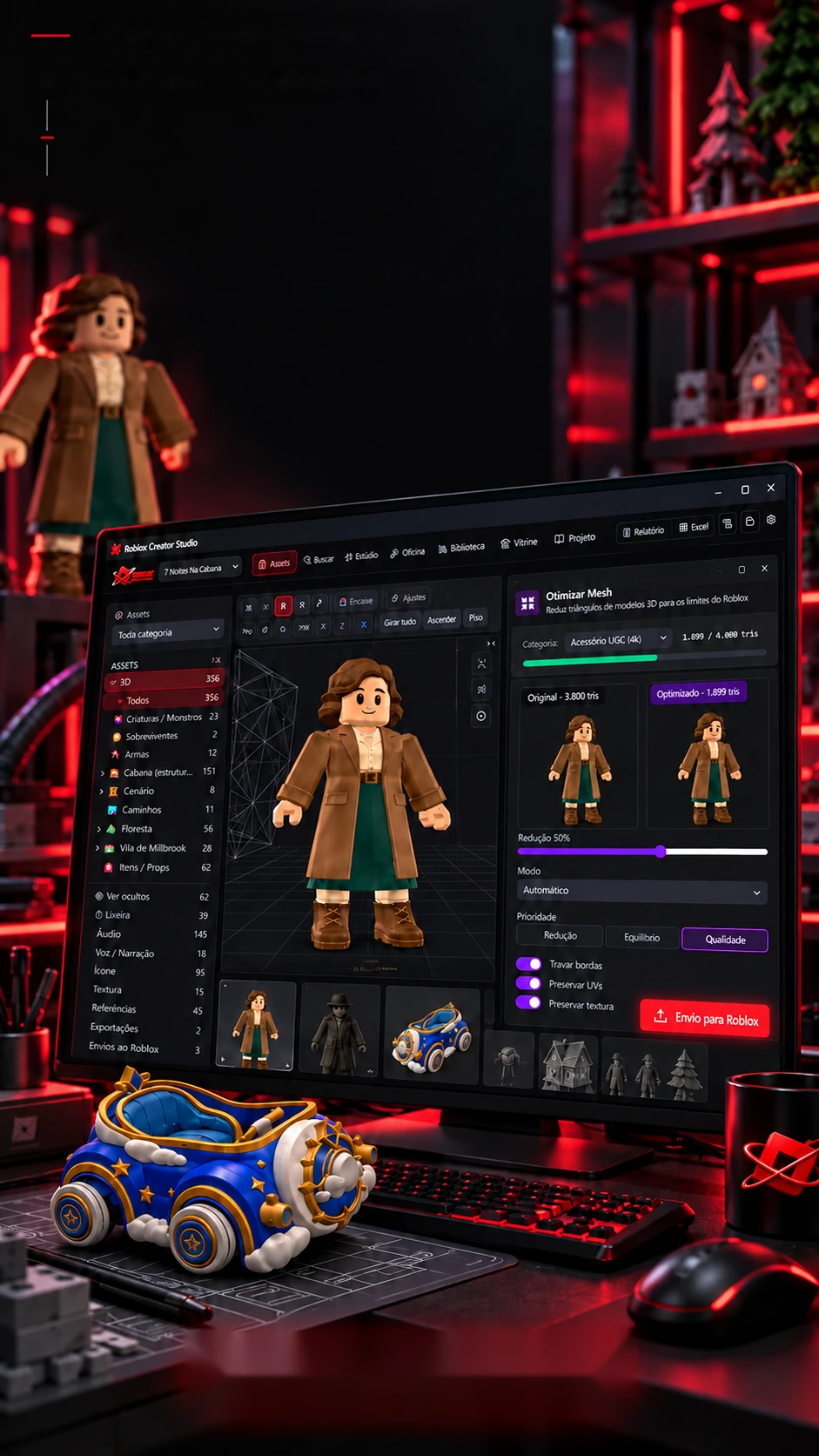
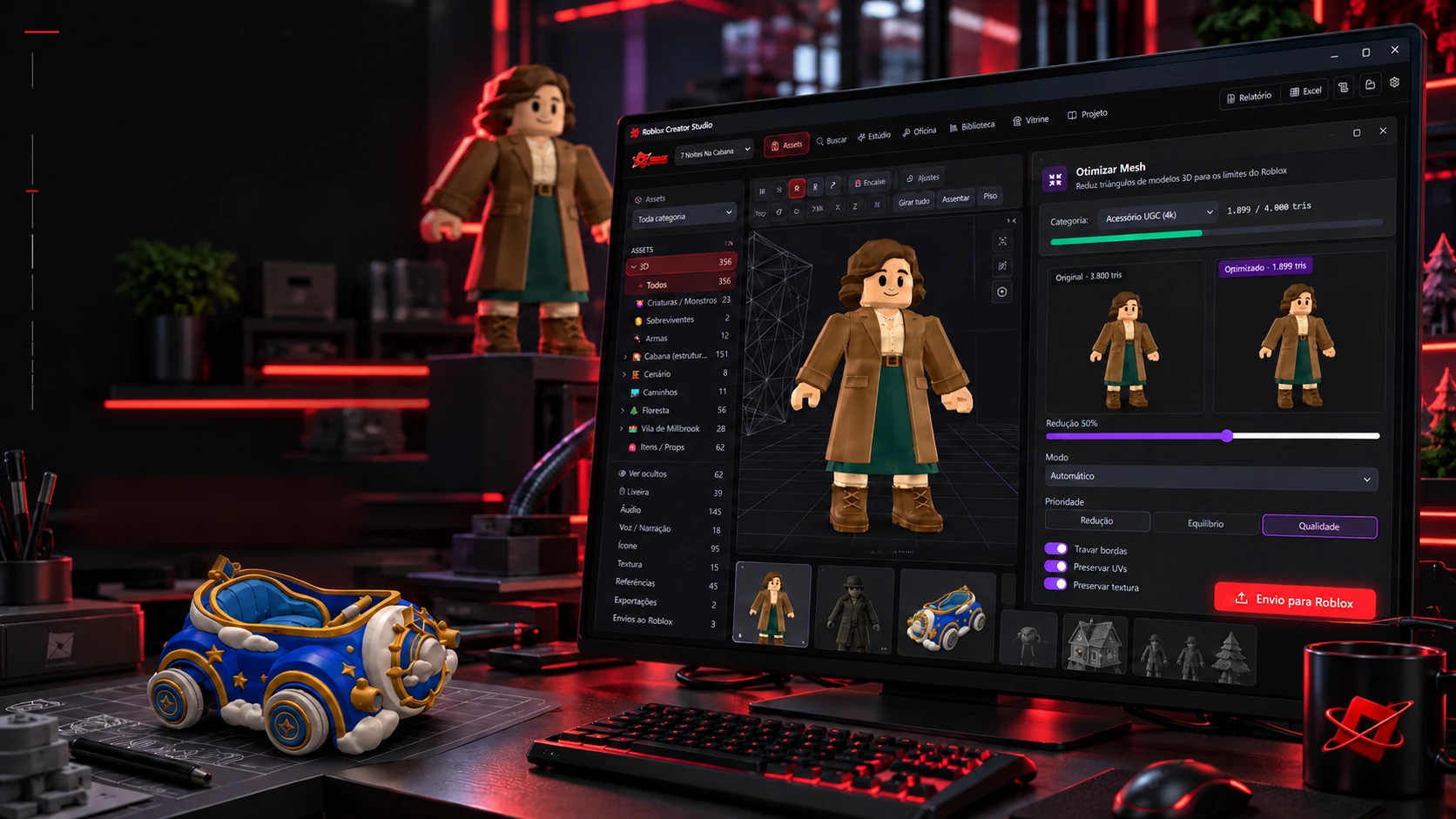
09Optimize Mesh
Cuts triangles without losing shape or paint, with a before-and-after report.
When to useAlways: it's what makes the game run on phones.
10Validate
Checks the model against Roblox rules, the ones that reject the upload and the quality ones.
When to useBefore uploading anything.
11Prepare for Roblox
Fixes what it can and builds the Studio-ready package: file, assembly code and report.
When to useAt the end of the line, before uploading.
123D Viewer
Opens any model to spin, compare with the reference and measure.
When to useTo check up close.
13Edit
Adjusts scale, rotation and position, and fixes the model's orientation.
When to useWhen the model arrives crooked or the wrong size.
14Rig
Adds the Roblox skeleton and links all of the character's animations at once.
When to useOn anything that walks, attacks or talks.
15Fit and size
Places hats, hair and accessories at the right spot on the body, at the official size.
When to useFor avatar items that will be sold.
162D Clothing
Builds T-shirts, shirts and pants on the official Roblox templates.
When to useTo sell clothing: it's cheap to make and sells a lot.
01 / 16Scroll to move
The line
Fewer polygons. The same look.
This is the biggest bottleneck for anyone making things for Roblox: the model arrives heavy, and slimming it by hand ruins the shape and paint. In the app, every piece goes down a line, and every step proves what it did. Drag the slider to compare before and after.
Before · 3,800 trianglesAfter · 1,899 triangles
The app's report
3,800triangles
−50% triangles, same look
Triangles
3,800 → 1,899: half the weight.
Shape
About 2% deformation: identical to the eye.
Score
84 out of 100 · great for phones.
The 9 ready-made targets (triangles)
Props Tiny100
Props Pequenos300
Props Médios800
Props Grandes2,000
Personagem3,000
Ambiente5,000
Construção8,000
Hero Asset10,000
Máximo Roblox19,500
The steps of the line
2. Cut polygons Reduces triangles to the limit for that type of piece, without crossing faces and keeping the paint.
The line's screens
What comes out of the factory
A whole game, from poster to menu.
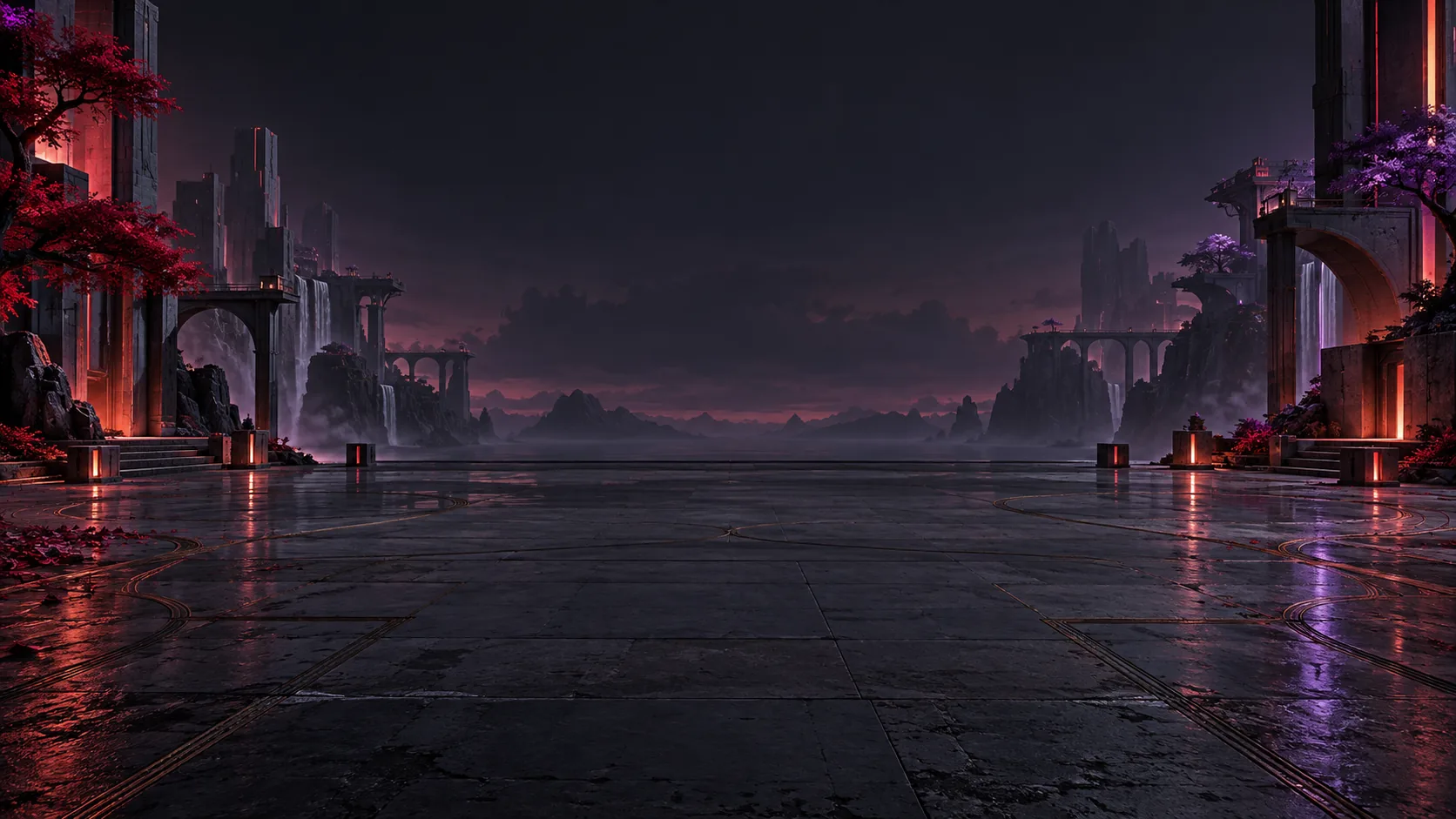
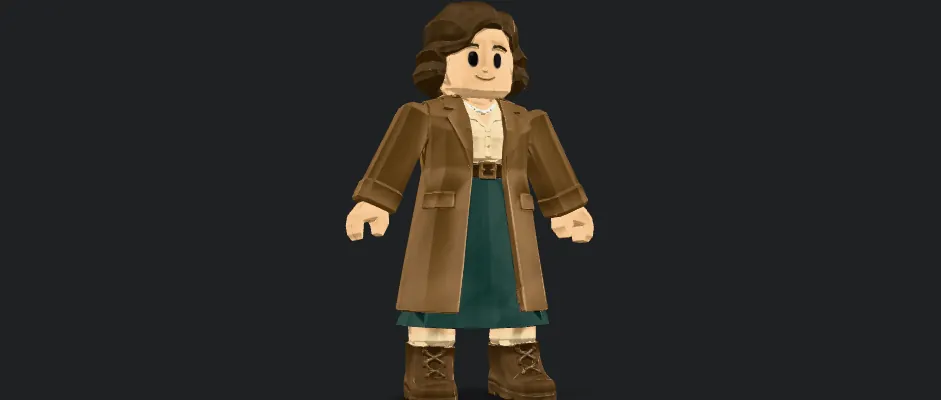
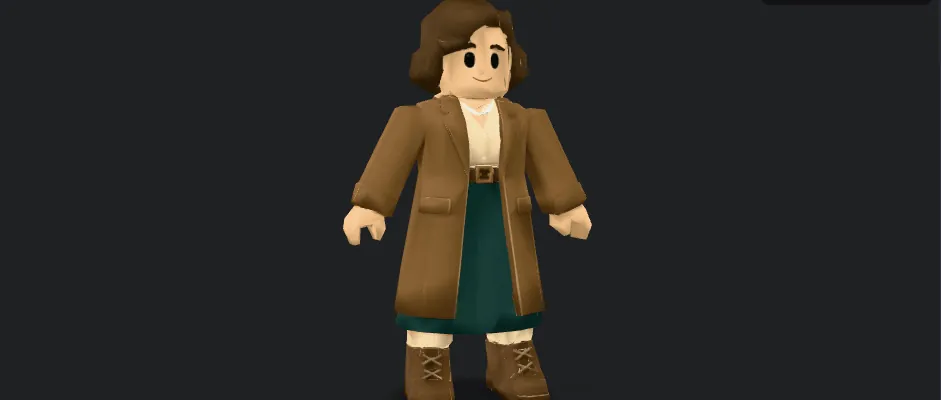
This is 7 Noites na Cabana (7 Nights in the Cabin), the horror game being made inside the app: characters with full sheets, scenery, scenes, the shop and the menu, every image stored as a reference on the piece's card, so the 3D comes out the same. Drag or use the arrows; tap the middle image to open it large.
01 / 20The key art
The survivors reach the cabin: the game's cover.
What came out of the factory
Not a screenshot. It's the game, piece by piece.
Everything in this showcase came out of the app: the monsters of 7 Noites na Cabana, the village buildings, the rooms, the props and the avatar clothes. Each piece was generated, slimmed down, checked against Roblox's rules and prepared for Studio. Pick a group and hover (or tap) to spin the piece.
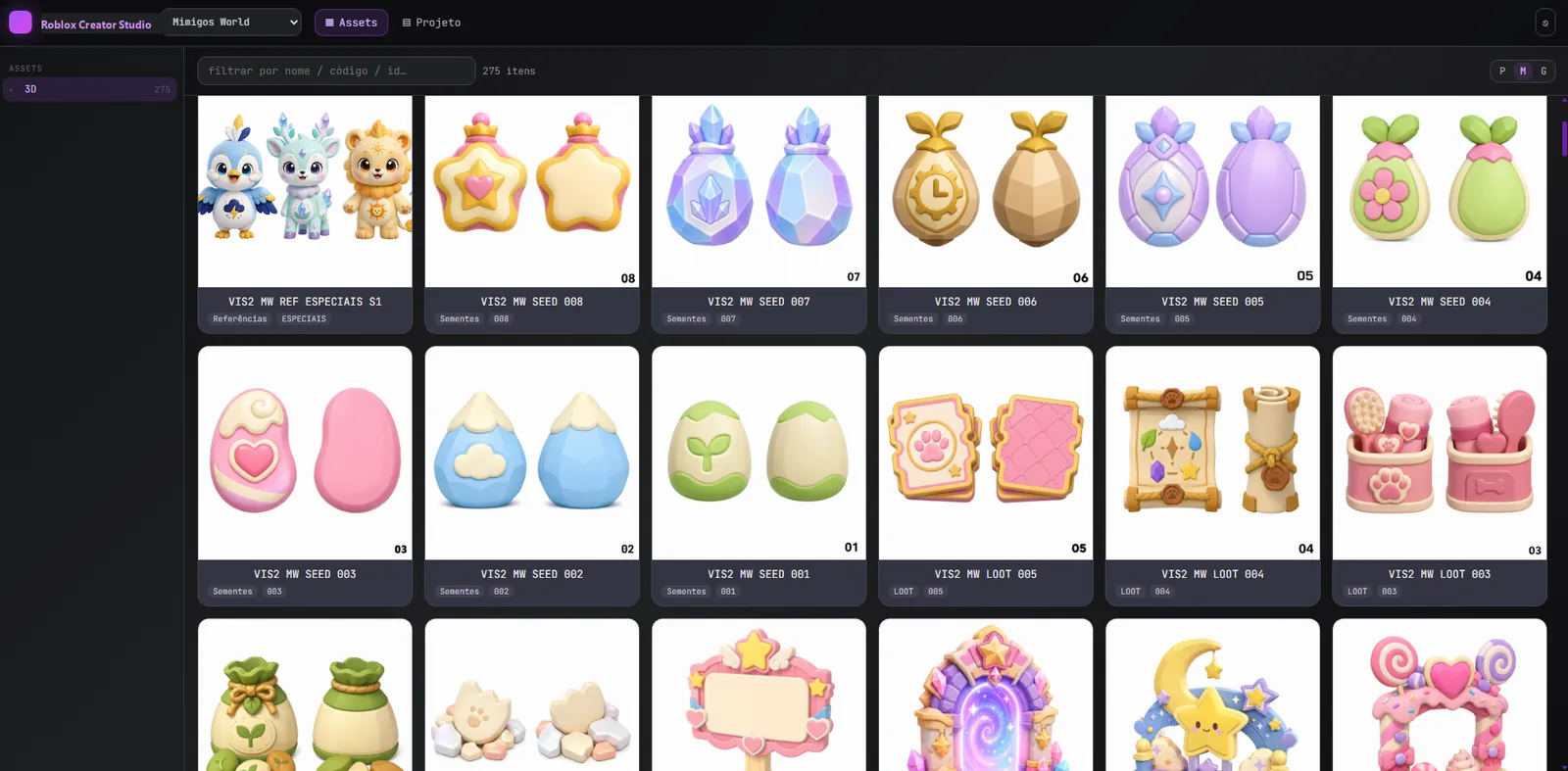
1,2663D models in the app's gallery
463models already rigged, ready to animate
49sets ready to open in Studio
Thumbnails rendered by the app itself, straight from the gallery. The numbers were counted in the project folders.
Every animation at once
182 animations. One click.
There are 22 characters, and every monster in a horror game needs idle, walk, run, attack, get hit, die, and the boss has phases. Doing them one by one, for each character, is a week of work. The app reads the game's design guide, builds each character's plan and applies it all at once. Pick one and press Apply.
The character
On the figure nowparado-com-arma-1-mao
The plan, taken from the game guide
The game callsThe recipe
MakeTransferConvertSend
The 83 recipes, made by script
The 22 plans add up to 182 animations, and every one has a recipe, none is missing. The chosen character's are lit.
The real screens
The rules are the app's (lote-mixamo.ts and mapa-animacoes-por-npc.json): the plan links each name the game calls to a recipe; the batch makes the missing ones, transfers the motion to the character's skeleton (each bone's rotation to the bone with the same name), converts to Roblox's 15-bone skeleton, sends it and links it to the card. The 83 recipes are math (animacoes_procedurais.py and animacoes_gdd.py), not motion capture; the Widow floats with her legs still. The figure here shows each recipe's kind of motion.
The Creation Center
What's worth making and how.
Before making any item, the app tells you what sells, how heavy it can be and which path to take. There are 25 Roblox item types, each with difficulty, triangle limit, who it's for and the sales ranking. Tap or hover over a card (or tap) to see the details.
Missions: learn by doing
1Mission 1, Your first hairAbout 30 to 40 minutes7 steps: from scratch to hair worn on the mannequin and ready for Studio.
2Mission 2, Your first car (kit for games)4 to 8 hours the first time8 steps: an arena-style car in modular parts, the format game makers pay for.
The 9 Validate rules
RejectsNo zero-area trianglesRejectsNo stuck-together verticesRejectsTriangles within the limitQualityDuplicate facesQualityNo holes (watertight)QualityFlipped facesQualityEdges shared by 3+ facesQualitySingle meshQualitySurface areaRejectsNo zero-area trianglesRejectsNo stuck-together verticesRejectsTriangles within the limitQualityDuplicate facesQualityNo holes (watertight)QualityFlipped facesQualityEdges shared by 3+ facesQualitySingle meshQualitySurface area
No zero-area triangles, Rejects
No stuck-together vertices, Rejects
Triangles within the limit, Rejects
Duplicate faces, Quality
No holes (watertight), Quality
Flipped faces, Quality
Edges shared by 3+ faces, Quality
Single mesh, Quality
Surface area, Quality
The Showcase
Try on any piece, instantly.
Before uploading hair, wings or clothing, you can see how it looks: the Showcase has a fitting room with the official Roblox mannequin and 15 attachment spots. Pick a spot and adjust height, size and rotation, that's how the app checks the piece fits well before it becomes an item for sale.
The fitting room's 15 spots
Wearing: Hat
The Showcase's 6 parts
012D Clothing
T-shirts, shirts and pants on Roblox templates.
023D Showcase
3D pieces by category, ready to show.
03Fitting room
The official mannequin with 15 attachments.
04Sectors
Pieces grouped by game sector.
05Catalog
Everything that can go to the shop.
06Little shop
Sales kits with cost and revenue in Robux.
The official 2D clothing templates
T-shirt128 × 128
Shirt585 × 559
Pants585 × 559
The Workshop
Six benches to build the world.
In the Workshop, pieces become things that work in the game: houses built part by part, the whole forest, the map, the drivable car, the meme character and the catalog cleanup. Tap or hover to see each bench, and try two of them right here.
Places (houses, village, forest)
Every building is assembled by parts: Place → Area → Part → Piece. The app pulls the kits from the folder and picks the best piece for each part on its own.
15 places
254 parts
Auto-pick
Millbrook Village, 11 areas
Square0/8
Houses0/7
Shop0/7
Butcher1/5
Well0/2
Library1/6
Infirmary7/7
Infirmary (inside)4/4
Theater4/4
Sheriff's office0/2
Smithy0/3
Missing: 3817/55 parts with a piece
How the app picks: a kit piece counts most; then one already uploaded, one with 3D and one with just an image. It never replaces a choice you made.
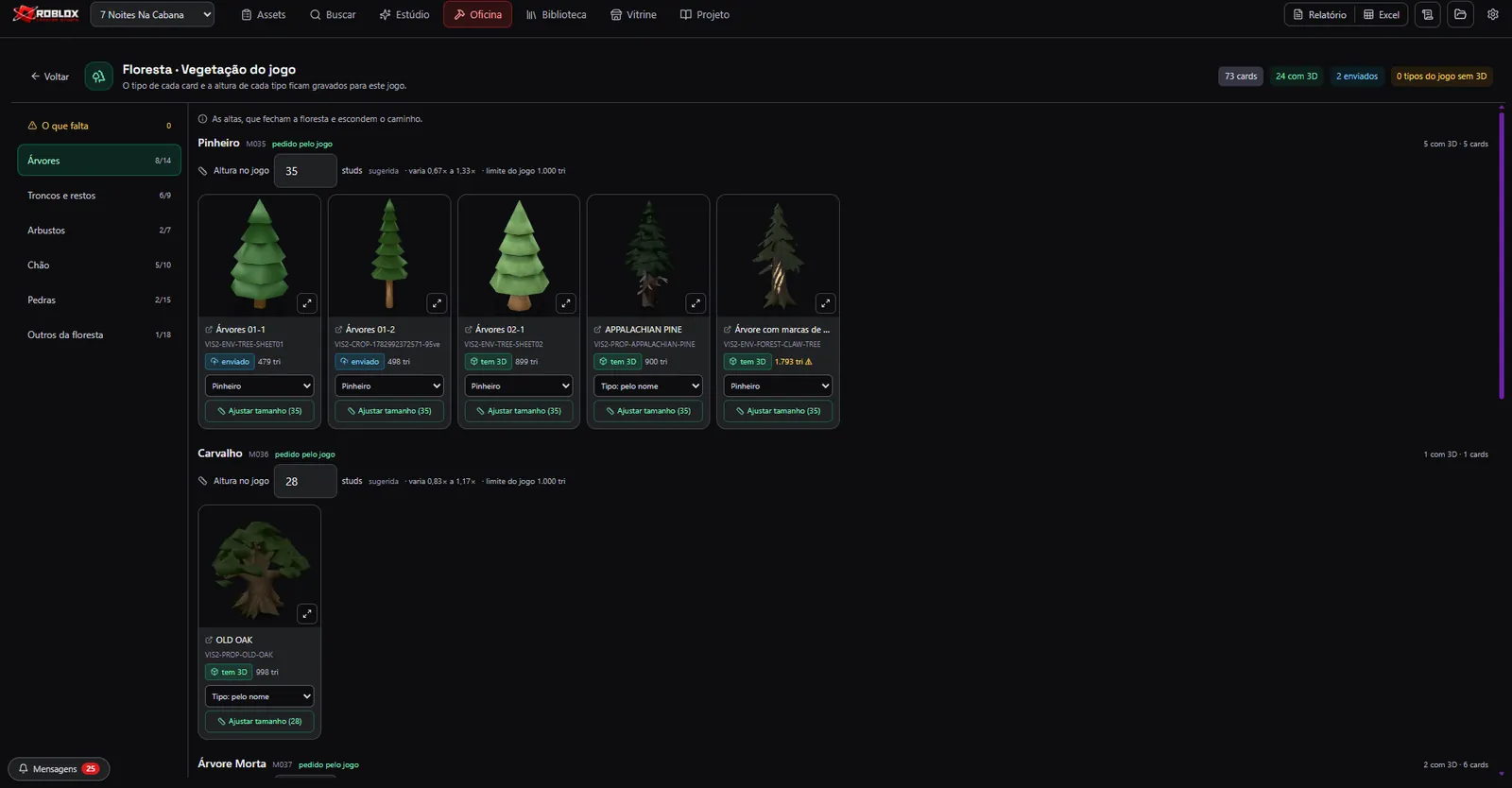
Forest
All of the game's vegetation by layer and type, each at the right height: what has 3D, what's only an image and what's already uploaded.
6 layers
12 types the game asks for
0 without 3D
Maps
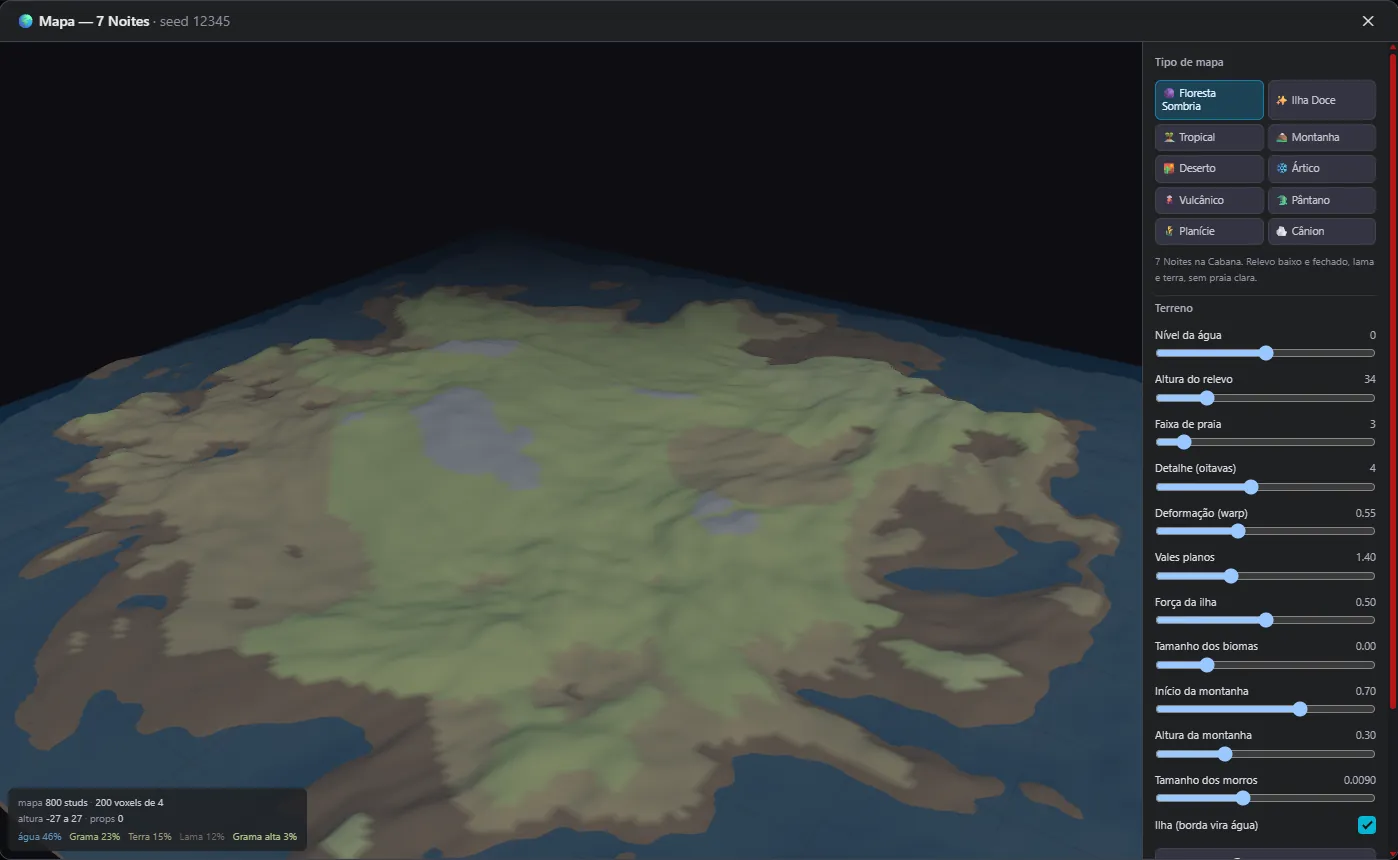
One number (the seed) always generates the same island: terrain, water, biomes and the scattered forest. Ready for Studio.
10 map types
2 games
.rbxmx
Cars
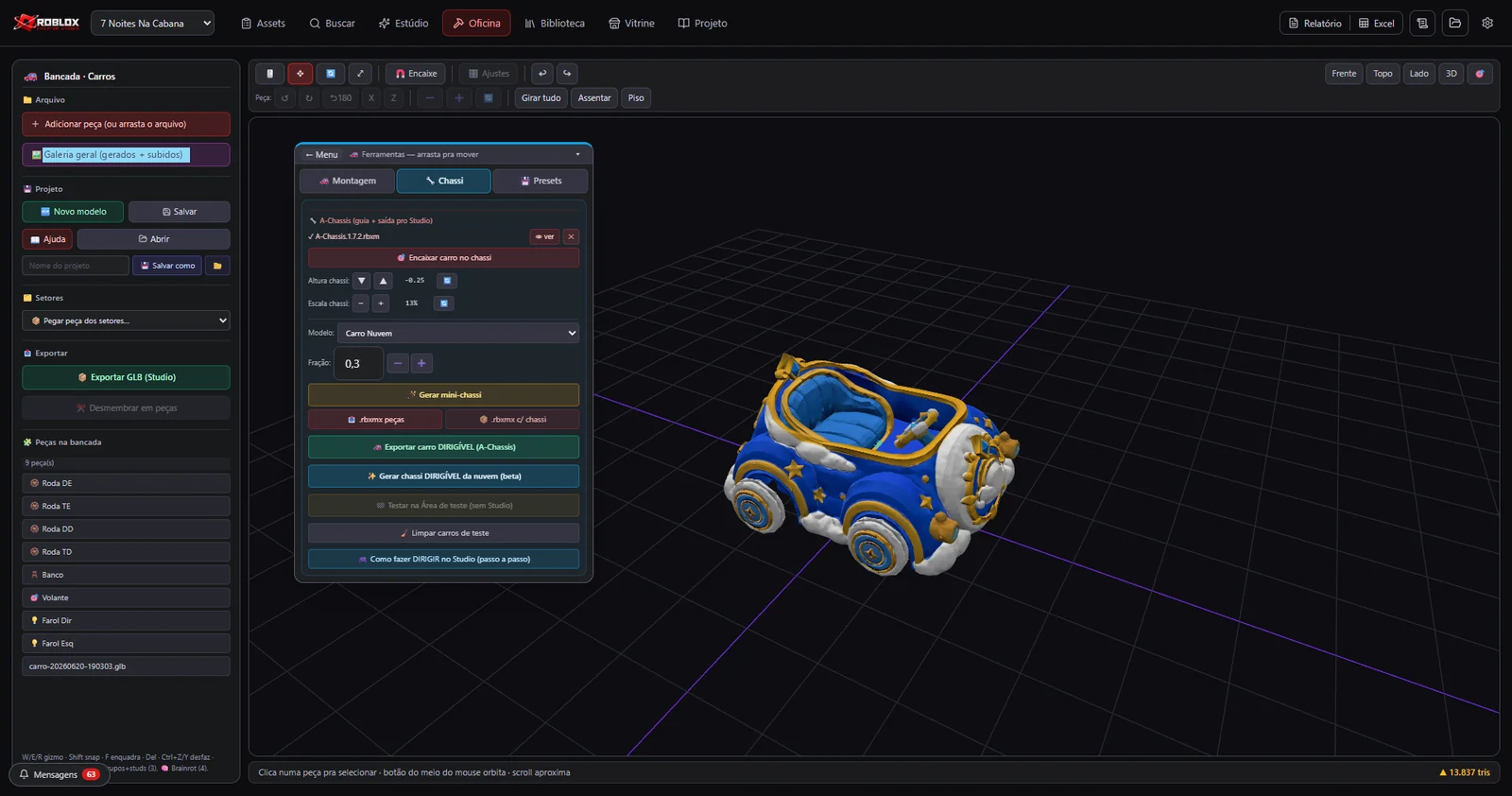
Body, wheels and spoiler assembled on their own onto an A-Chassis, and the car comes back from Roblox ready to drive.
7 roles
Auto-assemble
Drivable
Brainrots
Body, feet, face and prop stacked on their own, plus a random name for the meme character.
4 roles
Auto name
Turbo Capivara-Foguete
15 adjectives × 15 animals × 14 things = 3,150 names (in Portuguese, as in the app).
Cleanup
Fixes catalog names and sectors image by image, and lists what's left to generate, all with undo.
Fixes
What's missing
Undo
68
fixes with undo
31
items left to generate
12
rules to decide on 3D
A drivable car, straight into the game
Builds itself. Drives away.
Building a car in Roblox usually takes an afternoon: scale the body, fit each wheel into its arch, flip the ones on the other side, attach it all to a chassis that drives. The Workshop does it in one click. Pick a body and press Auto-assemble: watch the app measure, find the arches and fit the wheels.
Scale
Arches
Wheels
Ground
Length: 7.30
The body
Length
7.30 → 4,00
Scale factor
×0.55
Wheel diameter
21% · 0.84
Axle height
25% · 0.36
Arches (front · rear)
54% (found) · 63% (found)
01Each part becomes a 3D file, with its paint inside
02Uploads to Roblox as a model
03A server inside the game itself fits body, wheels and seat onto the chassis
04Comes back ready to drive
A personal fan project, non-commercial and not affiliated with Roblox Corporation, Roblox is its registered trademark. The rules are the app's (useCarAssembly.ts): the length is the longest axis and the body scales to 4; the wheel is 21% of that length and the axle sits at 25% of the height; the arches come from the bottom-edge profile in 24 slices, the highest point of each half, clamped between 30% and 92% of the half-length; at the end, the lowest point goes to the ground. Copying the wheel keeps the setback and turns the opposite side 180°. The bodies here are sample drawings.
A map from scratch, from a seed
One number. A whole island.
Drawing a game's terrain by hand takes days, and redoing it means starting over. The app generates the map from a number, the seed: the same number always gives the same island, so you can save it, test it and come back. It's the app's own math running here in your browser, change the type, the seed, the water and the island.
Low, closed relief, mud and dirt, no bright beach.
The map type
What the map is made of
Water45%
Grass23%
Ground15%
Mud12%
Tall grass3%
Highest peak: 27 studs above the water
Map fingerprint371ABEE8
The math is the app's (map-terrain.ts and map-biomes.ts): a multi-layer noise, with space twisted before sampling so the coast comes out jagged; a power curve that flattens valleys to leave building room; a blend that sinks the edges into an island; and the material picked by height and moisture, first matching rule wins. The 15 materials are Roblox terrain materials, in the official colors. In the app, the map comes out as a file ready for Studio, with the terrain written voxel by voxel (4 studs).
What the app does on its own
The boring work is the app's job.
Finding licensed textures, sounds and icons, noting the credit, writing the code, tidying the folder, keeping the history: all of it runs underneath, without anyone asking. The cards move on their own, or pick one from the index.
01 / 11Finds textures
Looks for the texture the card asks for in open libraries and shows the license before downloading.
Free to use (CC0), in 2k, with the credit noted.02 / 11Finds sounds
Brings audio and effects for every sound on the script's list.
145 sounds and 18 voices asked for by the 7 Noites script.03 / 11Finds icons
Finds the icons and lets you recolor them in the game's color.
95 icons asked for by the script.04 / 11License on record
Everything downloaded comes in with author and license in a project record.
Credits ready to publish, with no license that forbids selling.05 / 11Code ready
When a piece is uploaded, its number comes back and the app writes the line of code that uses it in the game.
Config files in batches: sounds, icons, textures, models and effects.06 / 11PDF report
The project's progress in a report with your logo, in light or dark theme.
9 colors and a preview before exporting.07 / 11Spreadsheet
Everything the game needs in a spreadsheet, to track production.
Exports to Excel in one click.08 / 11Settings
Upload keys and paths stay stored on the computer, they never show up on screen.
Each game with its own folder, no mixed-up files.09 / 11Organizer
Finds stray files, fixes paths and removes duplicates by comparing byte by byte.
The game folder always tidy.10 / 11Trash and undo
Nothing is really deleted: what leaves goes to the trash and fixes can be undone.
Discarded items kept apart, restorable.11 / 11Upload history
Every batch sent to Roblox is logged, with the date and what came back.
Search and filter by today, 7 and 30 days.
The script calls the shots
132 thousand lines of script become a game.
It all starts with the game document: the story, the enemies, the shop, the systems, and the code for every part. The app reads that script and turns it into work: every piece, every animation and every place is born from one of its parts. And the scripts come out already saying where they live in Roblox Studio.
132,642lines in the 7 Noites na Cabana script
403tasks, each tied to a part of the script
182animations the characters ask for
254place parts across the 15 recipes
What the app reads: 78 parts, 309 blocks, 100,682 lines of Lua
Core mechanics11 parts · 25 blocks11,736
Enemies7 parts · 26 blocks9,635
Inventory and items2 parts · 11 blocks5,688
Audio and atmosphere6 parts · 29 blocks6,793
Interface4 parts · 15 blocks6,437
Progression6 parts · 19 blocks10,686
Network and data8 parts · 51 blocks7,857
Narrative4 parts · 7 blocks3,102
Advanced systems10 parts · 37 blocks11,829
Setup and guides20 parts · 89 blocks26,919
The scripts, already in the right place
ServerScriptService / Game
BuffManager.lua382 lines
DailyShopManager.lua138 lines
DialogueServer.lua236 lines
RewardSystem.lua336 lines
ShopServer.lua424 lines
StoryManager.lua261 lines
StarterPlayerScripts / Controllers
DialogueClient.lua337 lines
IntroSystem.lua384 lines
ShopClient.lua594 lines
Every code block carries “WHERE TO CREATE”: the app builds the Roblox Studio folder tree and exports everything in a single file.
The technologies
What it is made of, piece by piece
A desktop app in three layers: the screen in React, with 3D in Three.js; a Rust core that optimizes meshes, reads and writes Roblox files and talks to the game's cloud; and a local Python engine for skeletons, animation and conversions. Pick a piece to see what it does here and which file it is in.
12technologies, in 3 layers
The screen
The core
The local engine
One app, three screens
Make it on the computer. Check it anywhere.
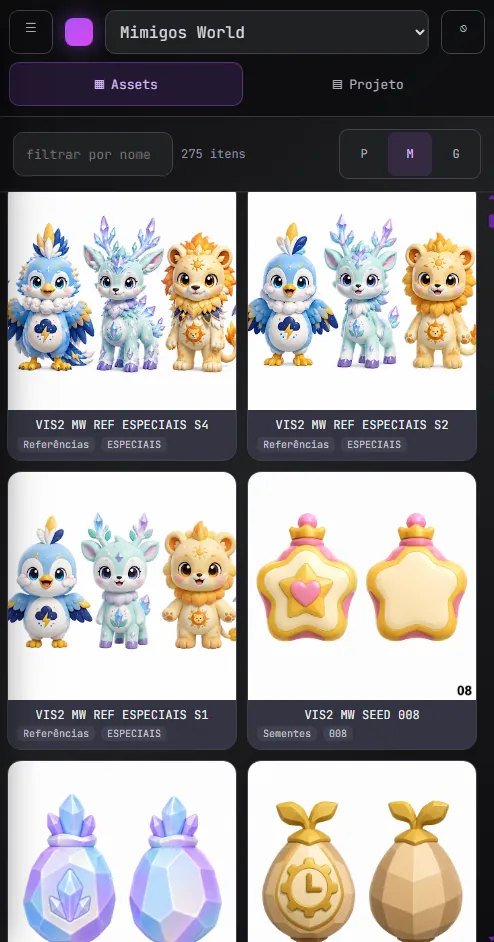
Production happens in the desktop app. But the catalog and the Game Guide also open in the browser and on the phone, with a login and per-person permissions, so everyone working on the game can see everything from wherever they are.
The desktop appWhere everything is created, slimmed down, assembled and uploaded.
In the browserThe same catalog and guide, read-only.
On the phoneIt all fits in your pocket.
What you can order
The factory is ready. What's your game?
Everything you saw on this page works for your project. Pick where to start, from the whole game to slimming down the models you already have.
Your complete game
From the script to the published game: map, animated characters, shop and the scripts in place.
Script organized into tasks
Map and places assembled
Characters with every animation
Items to sell on Roblox
Hair, clothing, accessories and pets to Marketplace standard, checked before uploading.
Within the official limit
Tested on the Roblox mannequin
Ready to publish
Maps and scenery
Island, forest, village and houses assembled by parts, light enough to run on phones.
Terrain, water and vegetation
Houses by parts
Ready for Studio
Your models, lighter
You send the heavy 3D; it comes back slim, with the same look and a before-and-after report.
Fewer triangles
Shape and paint checked
A report for every piece
I want to start mineTell us your idea in a few minutes, the reply comes with the path and the timeline.
A personal fan project, non-commercial and not affiliated with Roblox Corporation, Roblox is its registered trademark.



 ERP and business systemsSoluções Digitais ERP